
TABLE OF CONTENTS
Overview
The WiiM Bar serves as the core of a 5.1.2 surround setup. It supports 3.0.2 channels on its own, and by adding a WiiM Sub Pro and two WiiM Sound/Sound Lite speakers, you can expand it into a complete 5.1.2 surround sound system for a truly cinematic experience.
This article will walk you through the steps to set up a 5.1.2 surround sound system.
What You Need for a 5.1.2 Surround Sound System
- 1 x WiiM Bar
- 1 x WiiM Sub Pro
- 2 x WiiM Sound/Sound Lite
- A TV with the HDMI ARC/eARC port.
- A Wi-Fi/Ethernet network
- A mobile device with the WiiM Home app installed.
Set Up a 5.1.2 Surround Sound System
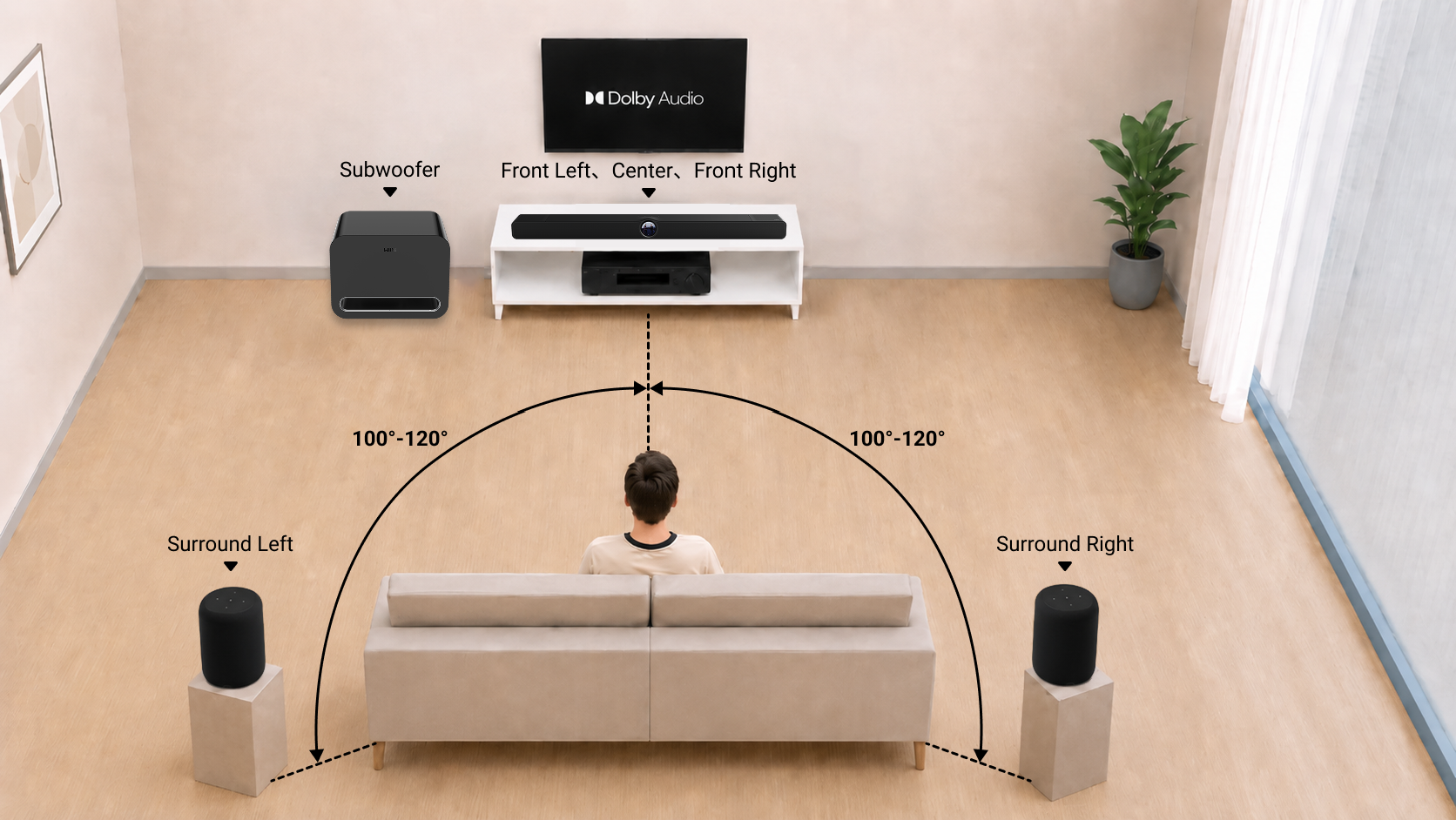
Step 1: Place Speakers Properly
For optimal sound, place all speakers according to the diagram below.
Step 2: Connect the WiiM Bar to the TV
Connect the WiiM Bar to the TV via the HDMI ARC/eARC port. Make sure to use the HDMI port labeled "ARC/eARC". Using another HDMI port will not produce sound.
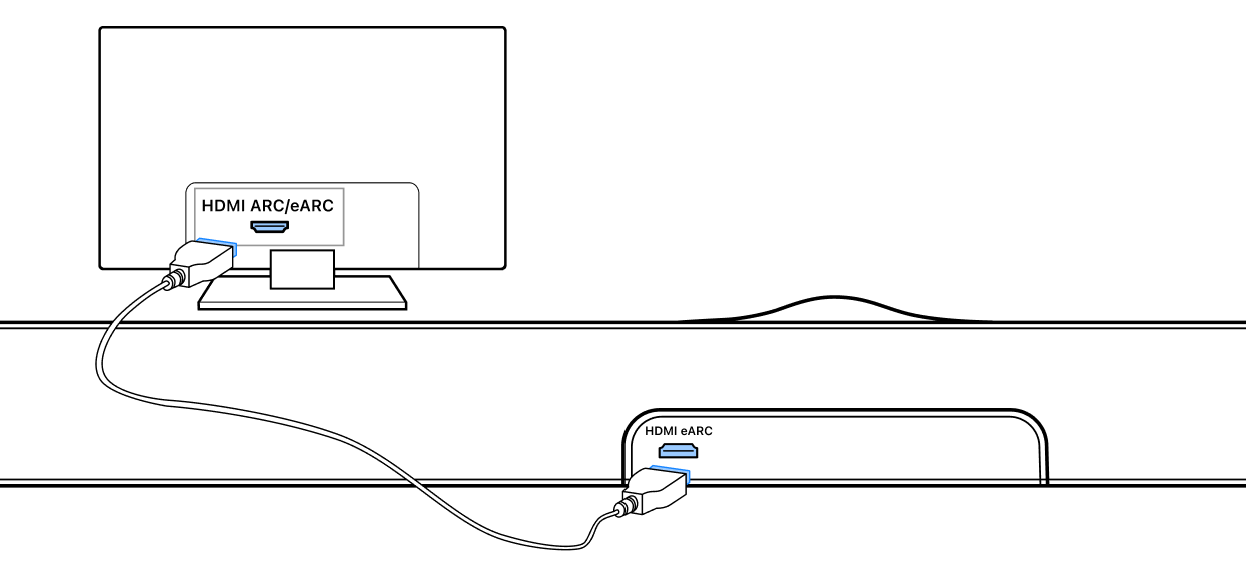
If the TV has no HDMI ARC/eARC, connect via the Optical port.
Step 3: Set Up the WiiM Devices
Set up the WiiM Bar, WiiM Sub Pro, and other WiiM devices using the WiiM Home app and connect them to the same network.
When setting up the WiiM Sub Pro, make sure to connect it to the WiiM Bar via wireless or wired connection mode. For details, see How to Set Up Your WiiM Sub Pro.
Step 4: Add Surrounds in the WiiM Home App
- Open the WiiM Home app on your mobile device.
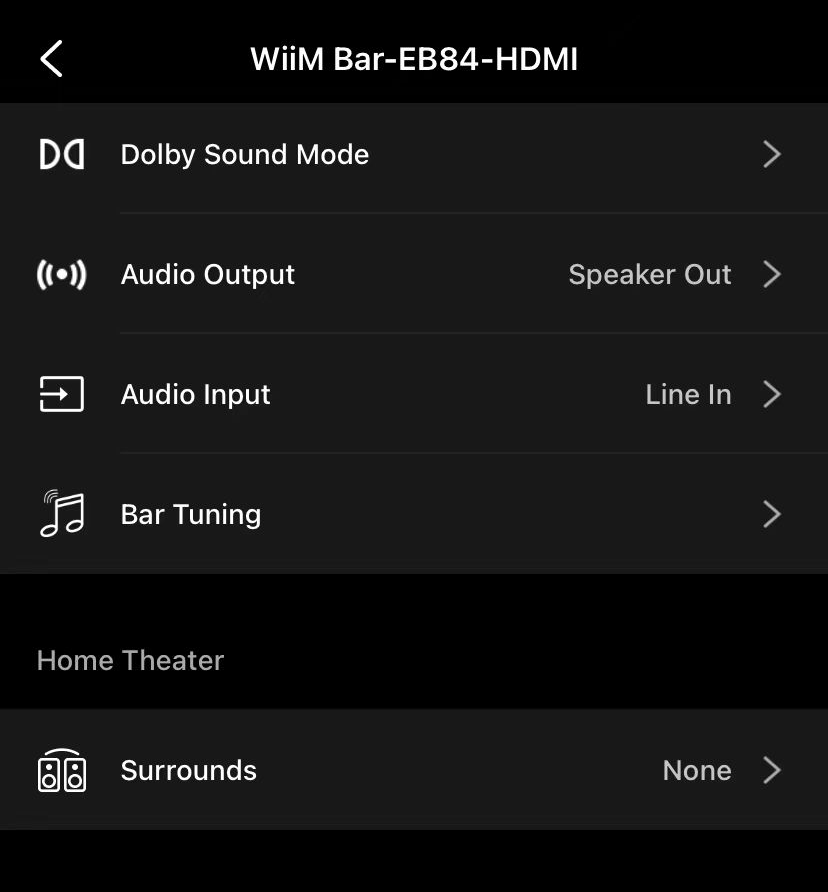
- Go to the Devices tab > WiiM Bar's Device Settings
 > the Home Theater section.
 - Tap the Surrounds setting.
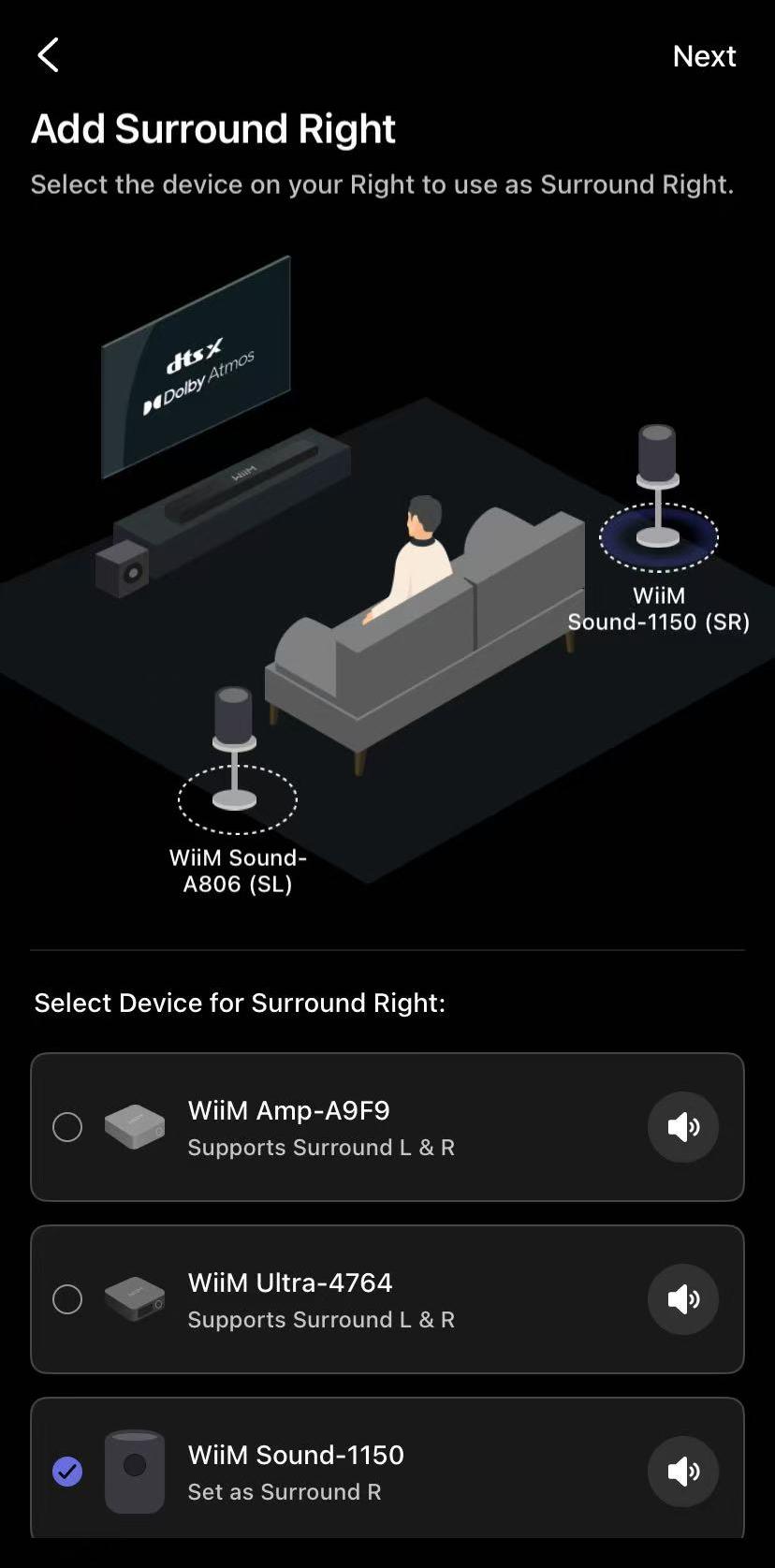
- Select the Surround Left (SL) and Surround Right (SR) speakers.
 Tips:
Tips:- Choose two WiiM Sound/Sound Lite speakers. Other WiiM models are not supported.
- Tap the volume icon
 next to each surround speaker to confirm you've selected the correct speaker.
- Tap Next to complete the setup.
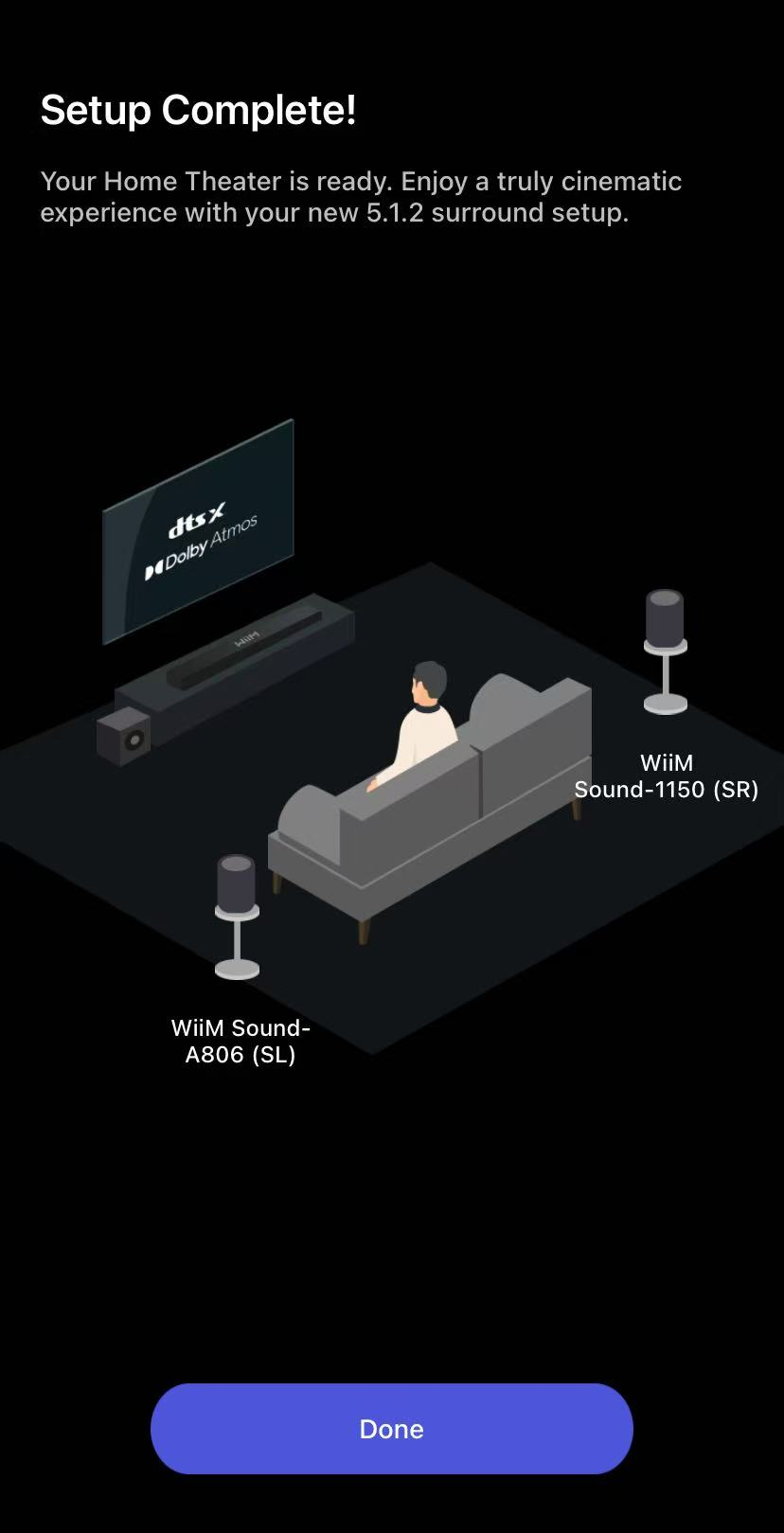
Once the 5.1.2 surround sound system is created, it is enabled automatically. Play audio on the TV and enjoy a truly cinematic experience.
Select a Dolby Sound Mode to Enhance Audio
The WiiM Bar offers four Dolby Sound Modes—Music, Movie, Voice, and Night—so you can quickly optimize audio for different content and listening environments. For details, see Understanding Dolby Sound Modes on Your WiiM Bar.
Simply select your preferred sound mode using the WiiM Bar Remote.
Remove Surrounds
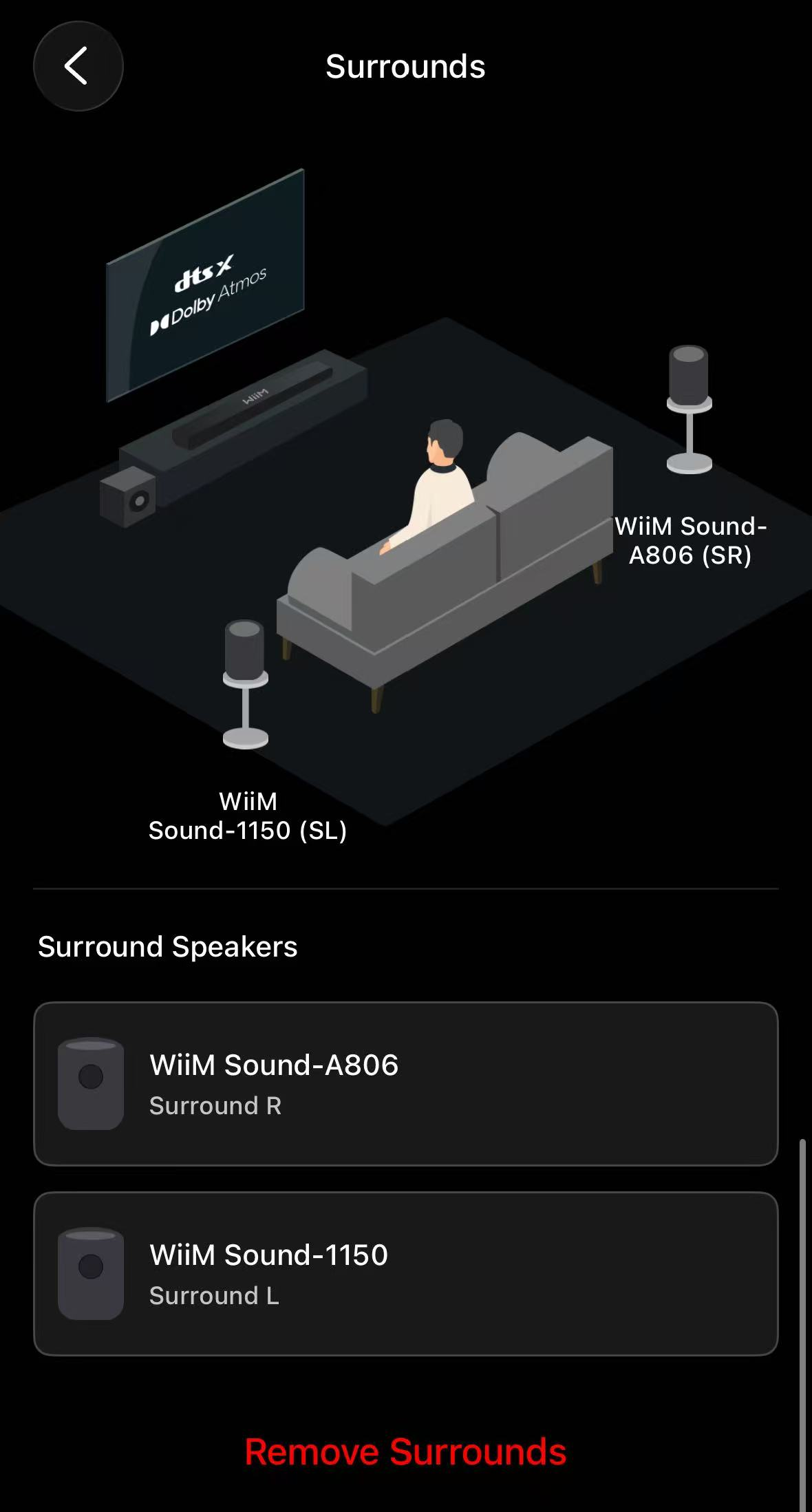
If you want to remove paired surround speakers from the WiiM Bar, simply tap Remove Surrounds.
You can then select new WiiM devices as your surround speakers.
Troubleshooting
If you encounter surround playback issues, please refer to How to Keep Surround Playback Stable for solutions.