
TABLE OF CONTENTS
If you are experiencing no sound when using your TV as the input source for your WiiM device, follow these steps to resolve the issue:
Step 1. Check the Cable Connection on TV and WiiM Device
- Ensure you are using a high-speed HDMI cable.
- Confirm that the cable is securely plugged into the ARC/eARC port on the TV and the HDMI ARC port on the WiiM device.
- If the issue persists, try using another high-speed HDMI cable.
Step 2. Verify the HDMI ARC/eARC Port
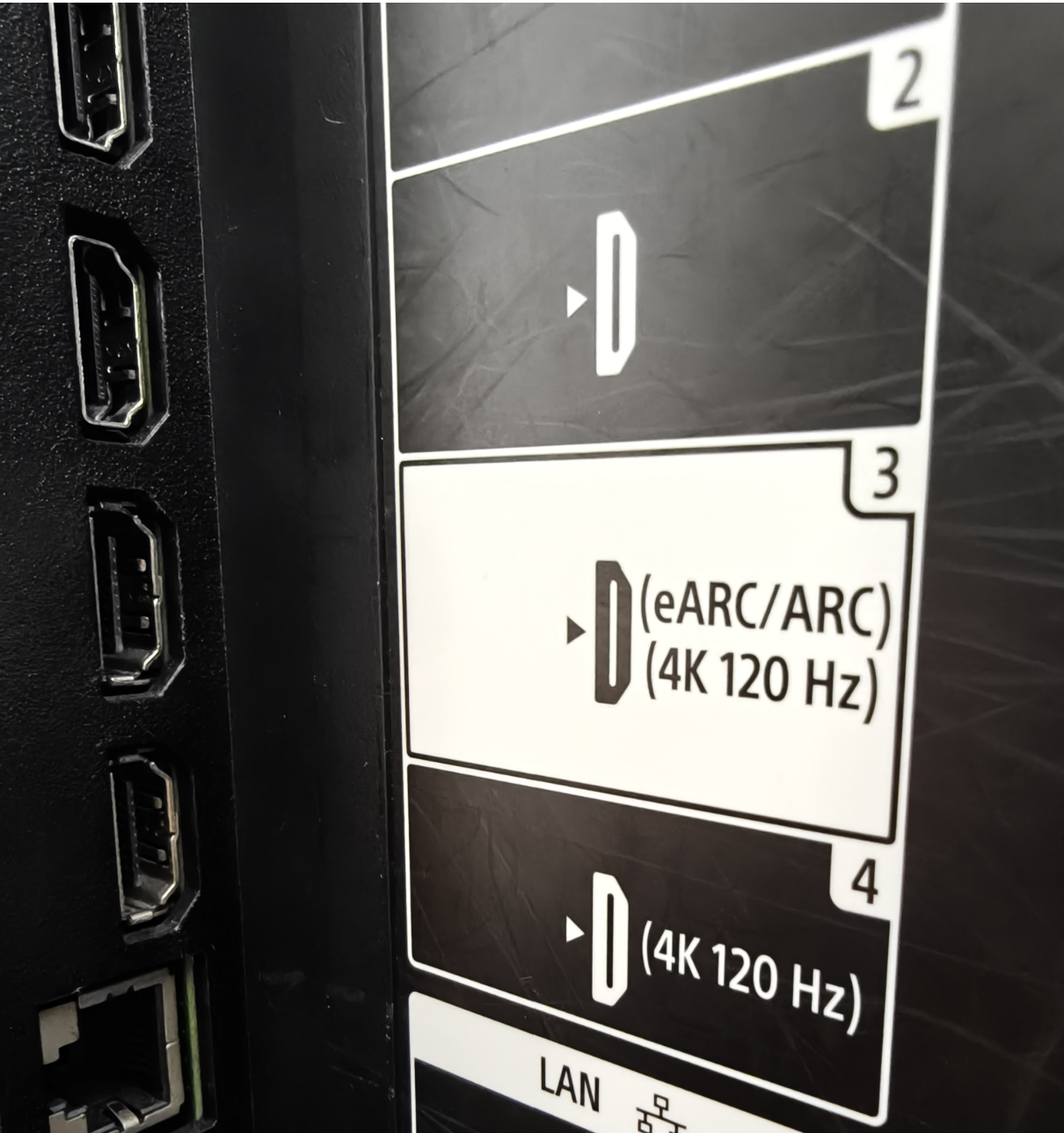
Make sure the cable is connected to the HDMI ARC/eARC port on your TV — it's usually labeled "ARC" or "eARC" next to the port.
For example, in the image below, Port 3 is labeled "eARC/ARC" — this is the correct port to use.
Step 3. Check the TV Settings
Go to your TV's Sound/Audio Settings menu and make sure the following options are set correctly:
- HDMI-CEC is enabled. This setting may have different names depending on the TV brand, such as AnyNet+ (Samsung), Simplink (LG), or Bravia Sync (Sony).
- The HDMI ARC/eARC port is enabled.
- The TV's audio output is switched to the external speakers (WiiM device) via HDMI ARC/eARC.
- The TV's audio format is set correctly:
- For the WiiM Amp Pro, WiiM Amp Ultra, and WiiM Ultra, check that the TV's audio format is set to Stereo PCM or Dolby Digital.
- For the WiiM Amp, check that the TV's audio format is set to Stereo PCM.
For instructions, see General Guide to Setting Digital Audio Output to PCM for Various TV Brands.
Step 4. Check Source Input of Your WiiM Device
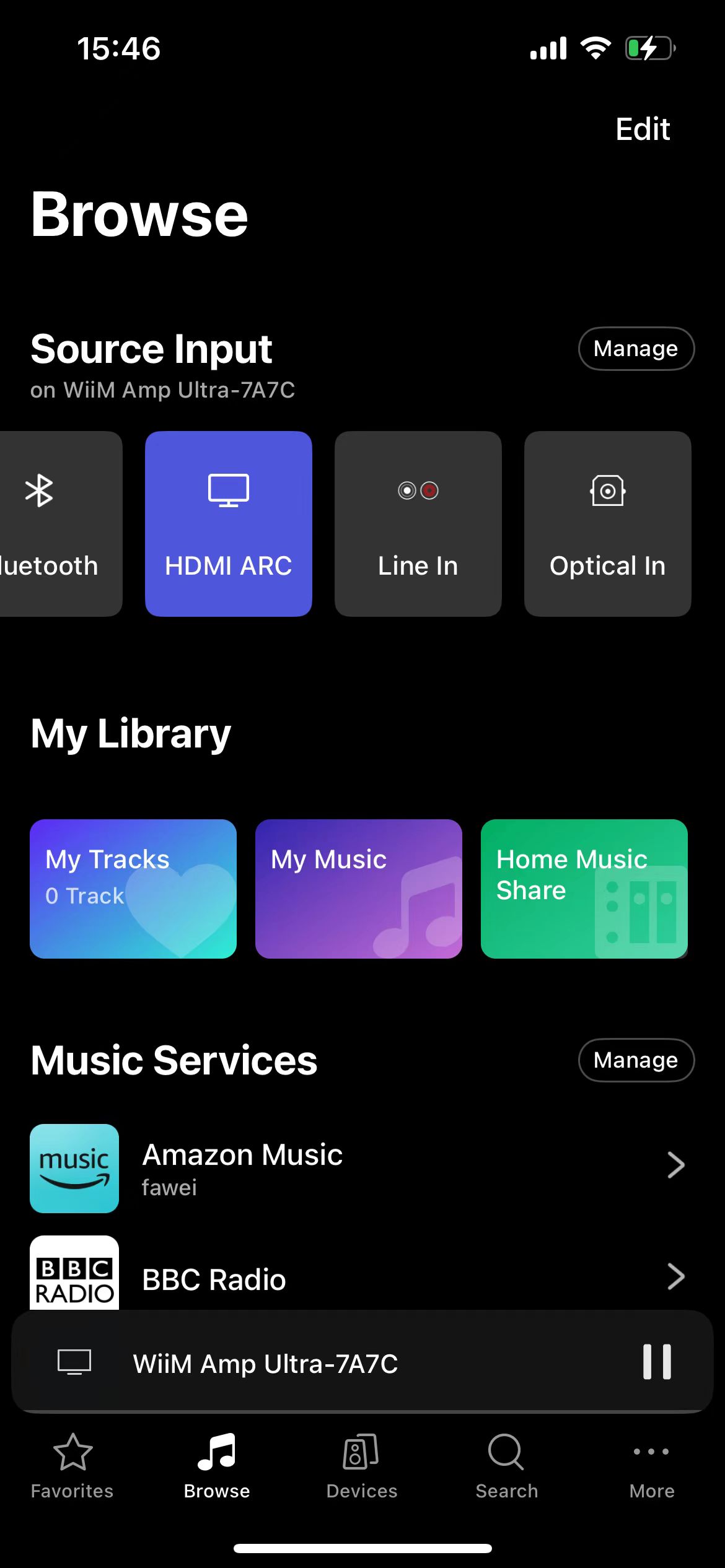
- Open the WiiM Home app.
- Go to the Browse tab.
- Make sure that HDMI ARC is selected as the source input for your WiiM device.
Step 5. Restart WiiM Device and TV
Power off your TV and WiiM device.
Unplug both for about 30 seconds, then plug them back in and power them on.
Step 6. Retry the Connection
After completing the steps above, check whether your WiiM device is now receiving audio from your TV through HDMI ARC/eARC.
Further Assistance
If the problem persists, please contact WiiM Support for further assistance.