
TABLE OF CONTENTS
This tutorial guides you through using the Open Network Stream service in the WiiM Home app.
The Open Network Stream service allows you to play audio from direct stream links, such as online radio stations or podcast URLs.
Add Network Streams for the First Time
Go to the Browse tab in the WiiM Home app, and select Open Network Stream.
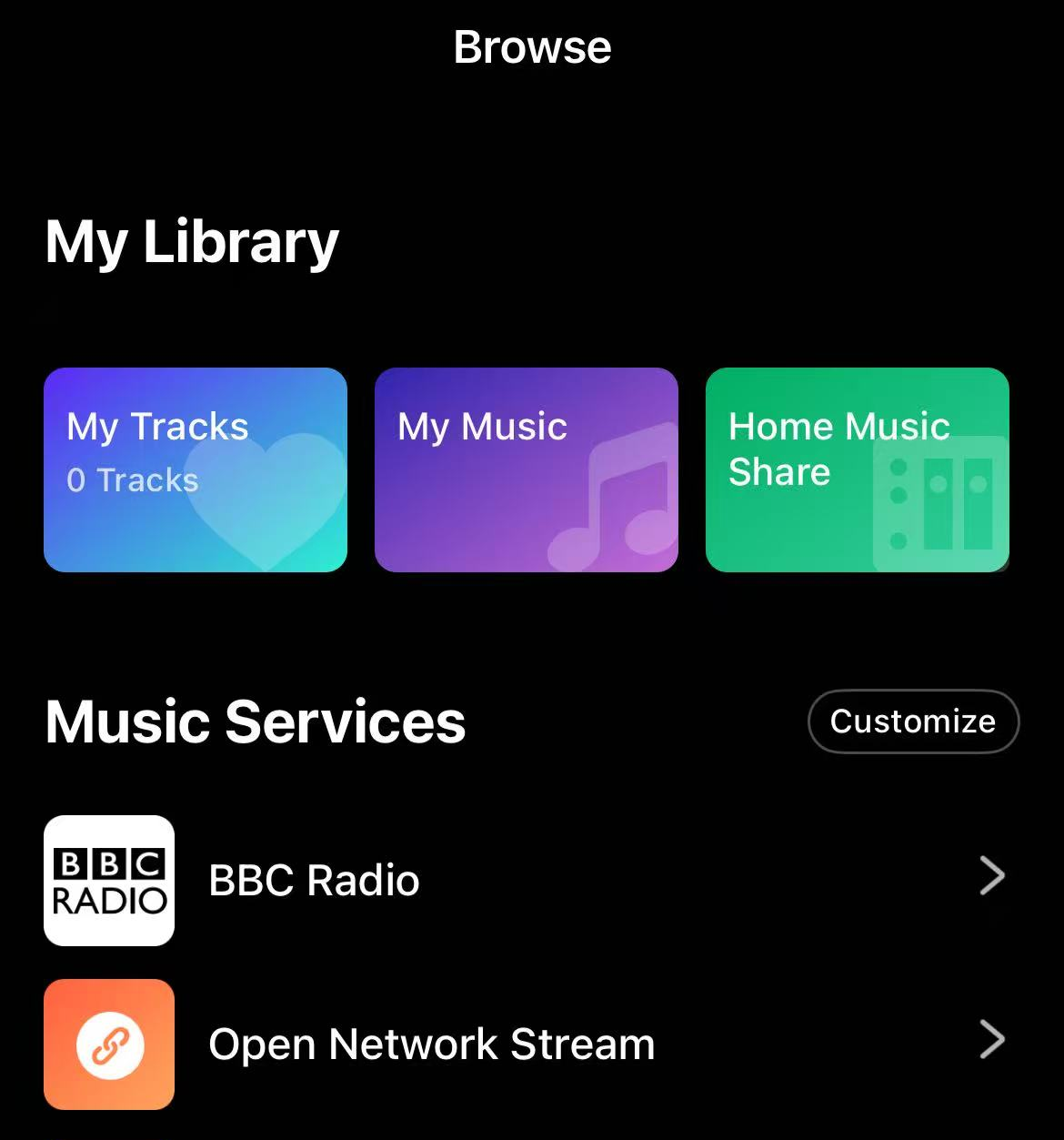
Then, you will see two options for adding network streams.
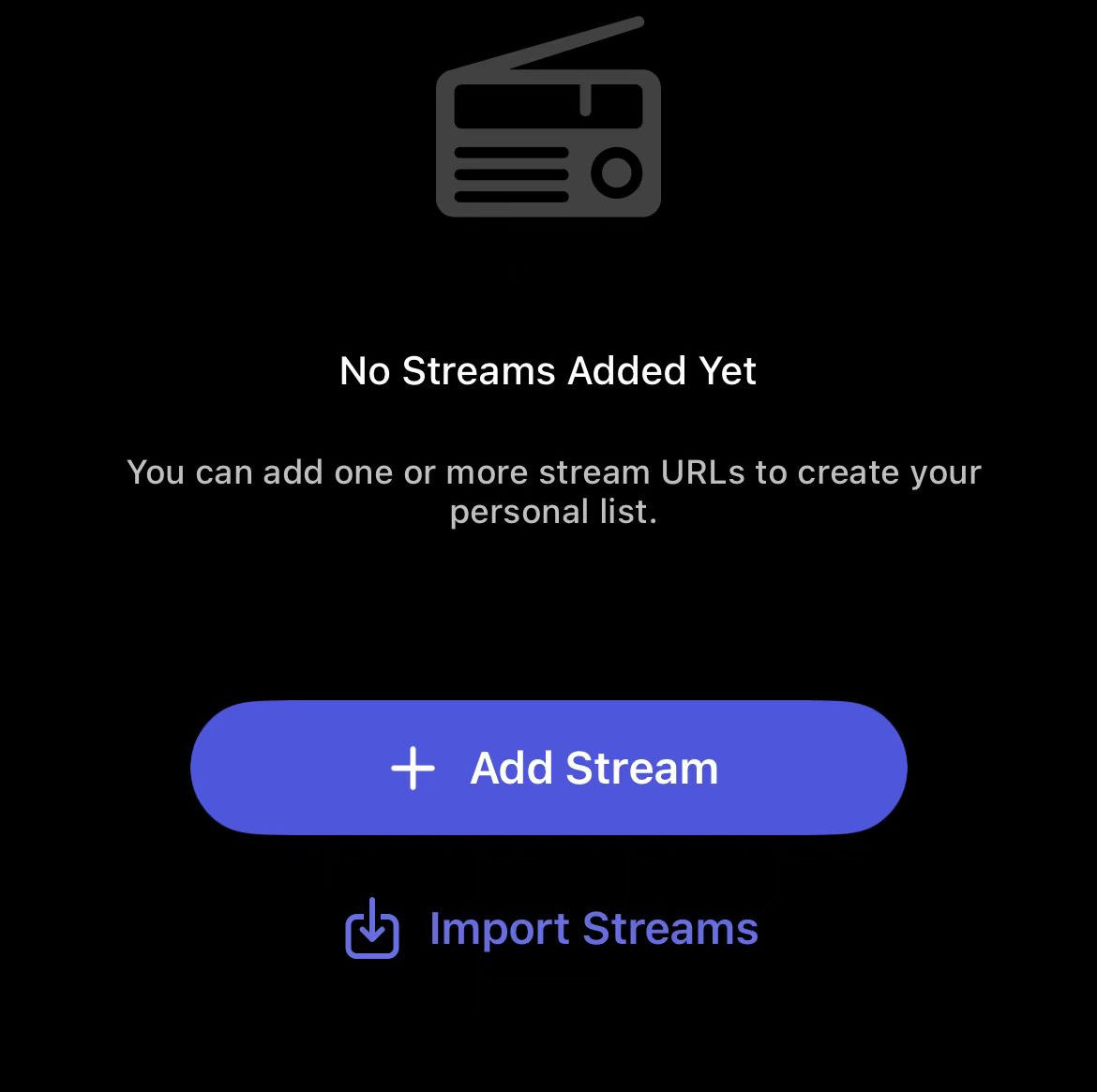
- Add Stream: Add a single network stream.
- Import Streams: Add a list of network streams from a .m3u, .m3u8, or .pls file.
Option 1: Add a Single Network Stream
- Tap the + Add Stream button.
- Fill in the following fields: Name, Stream URL, Description, and Artwork.
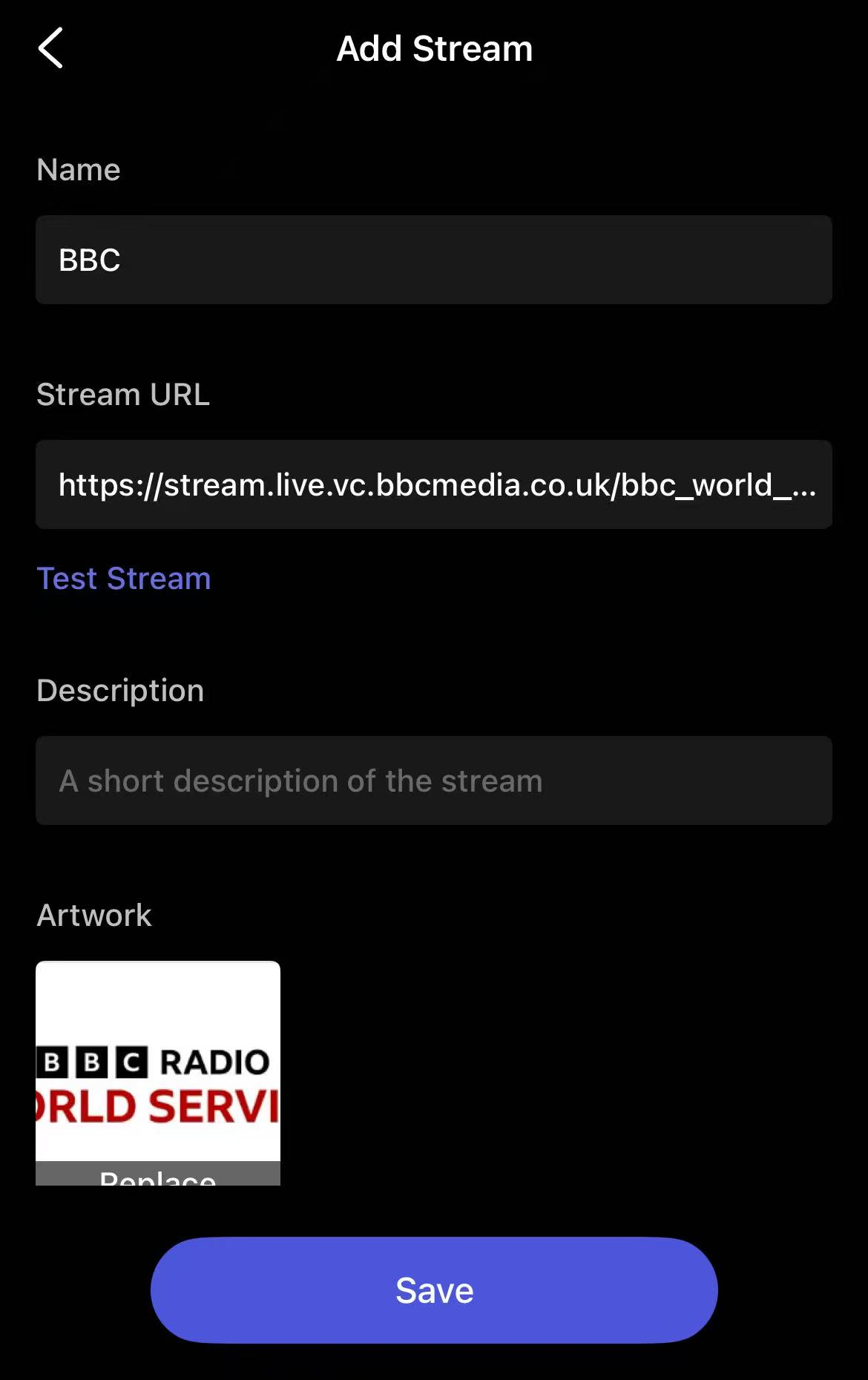 Tip: Tap Test Stream to verify that the stream URL is playable.
 - Tap Save to finish.
Option 2: Import Network Streams
If you have many network streams, you can save them into a .m3u, .m3u8, or .pls file, then import them all at once.
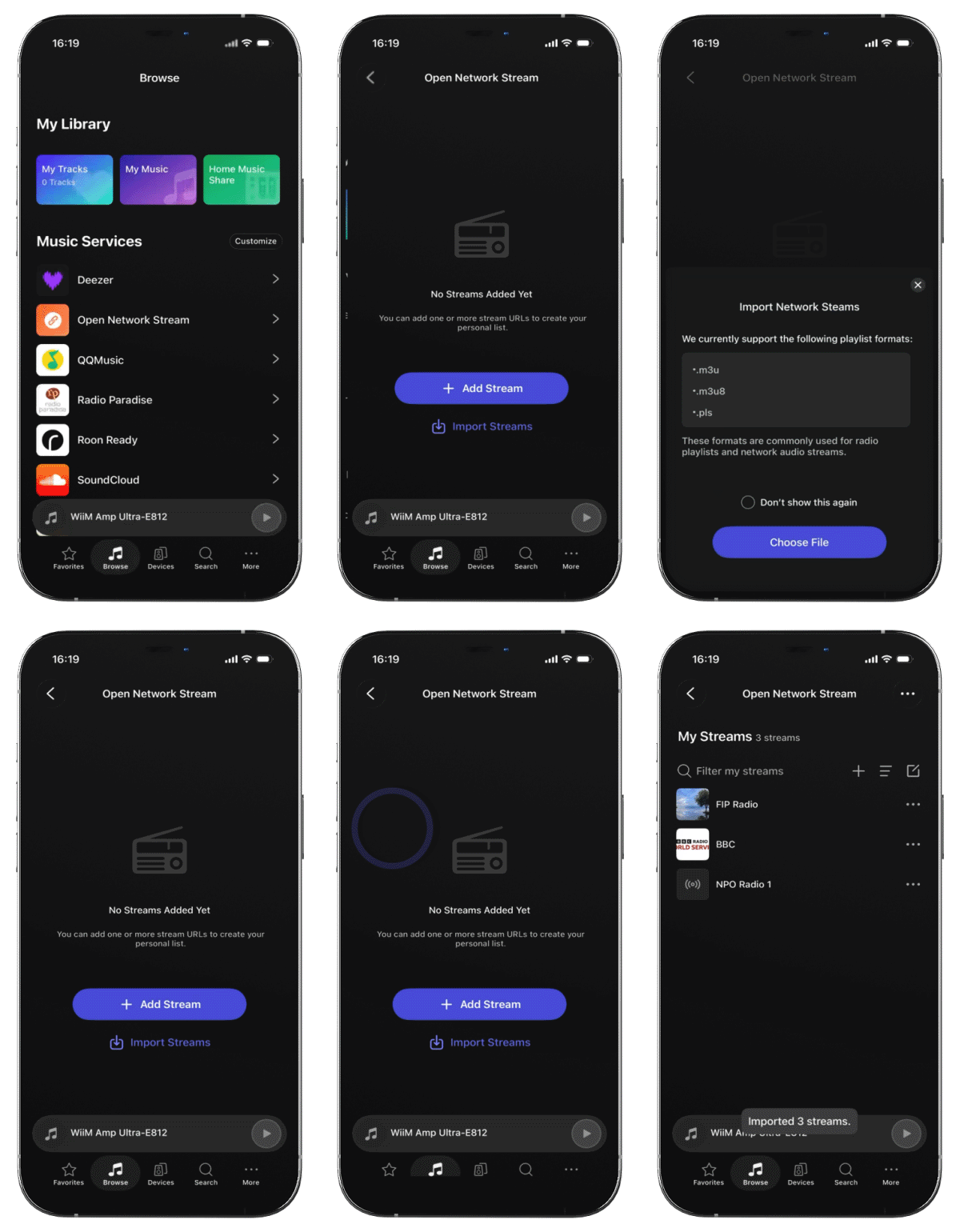
- Select Import Streams.
- Select the .m3u, .m3u8, or .pls file from your mobile device and complete the import.
Manage Network Streams
Once network streams are added, they appear on the Open Network Stream main screen, where you can manage them at any time.
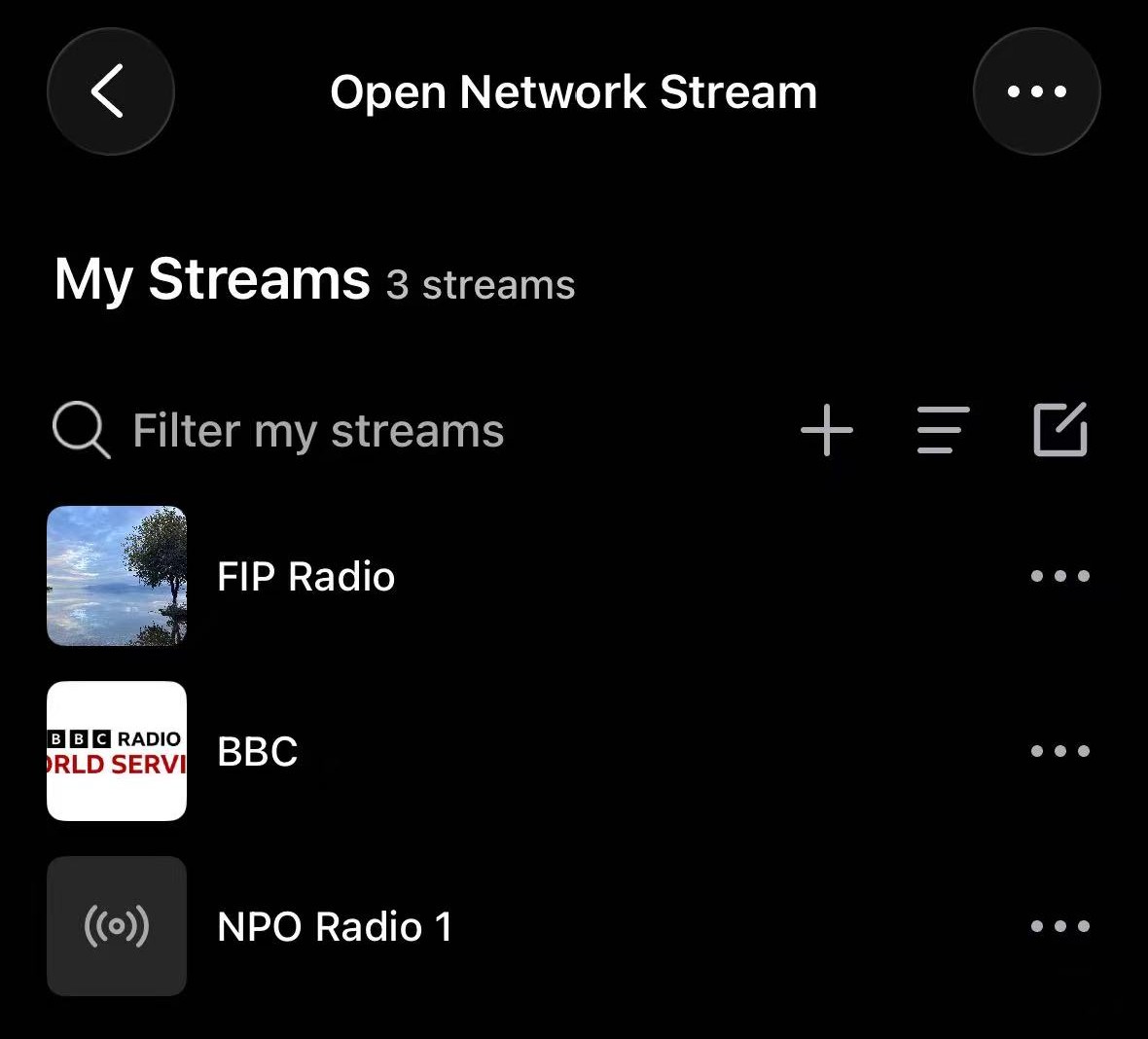
| Actions | Details |
|---|---|
| Filter Network Streams | If you have a long list of network streams, quickly find any specific stream by typing the name in the Filter my streams text field. |
| Add a New Network Stream | Tap the |
| Preset a Network Stream | Tap the Three Dots (...) next to a network stream, then select Preset to save it for quick access. |
| Delete a Single Network Stream | Tap the Three Dots (...) next to a network stream, then select Delete to remove it. |
| Edit a Network Stream | Tap the Three Dots (...) next to a network stream, then select Edit to modify it. |
| Sort Network Streams | Tap the |
| Rearrange Network Streams | Tap the 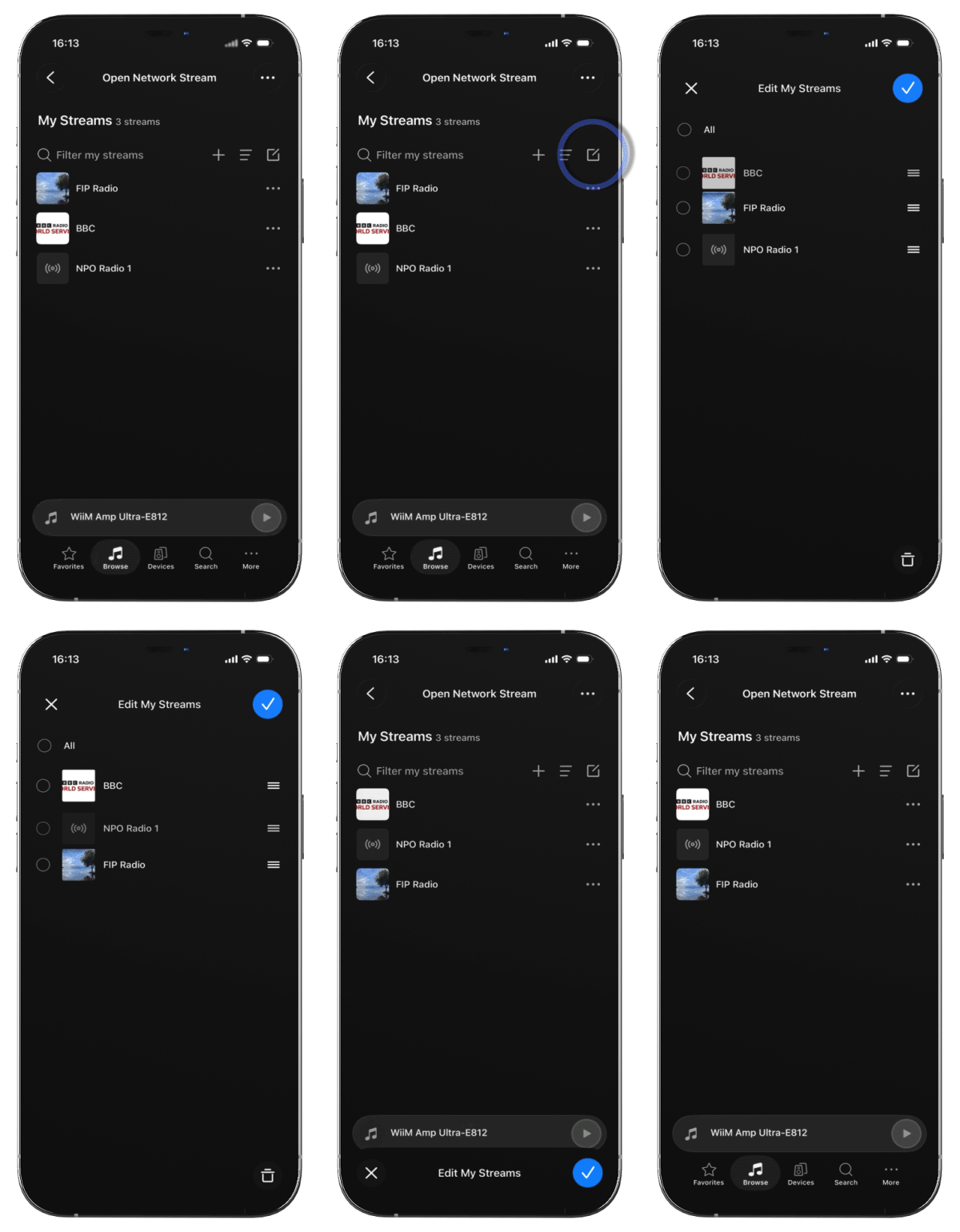 Note: To display network streams in your re-arranged order, make sure they are sorted by Custom Order. |
| Delete Multiple Network Streams | Tap the 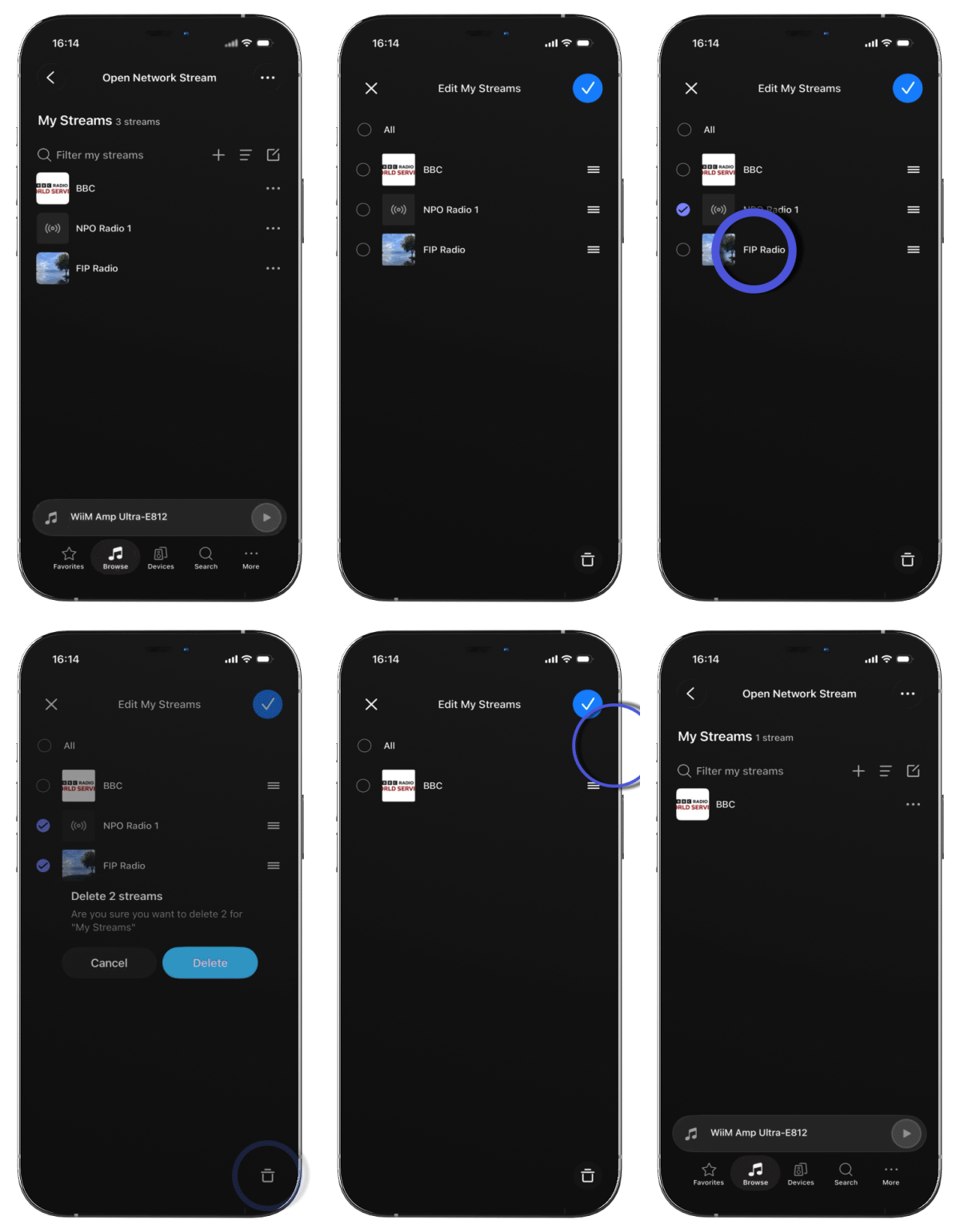 |
 icon to add a new network stream.
 icon and sort network streams by Custom Order, Added Date, or Title.
 icon, then press and hold the
  icon next to a network stream to re-arrange its order.
 icon to delete them.
Import or Export Network Streams
- Import network streams: Import a list of network streams from a .m3u, .m3u8, or .pls file.
- Export network streams: Export your network streams as a .m3u file and import it into another WiiM Home app or other compatible media players.
Steps:
- Tap Three Dots (...) in the top-right corner of the Open Network Stream main screen.
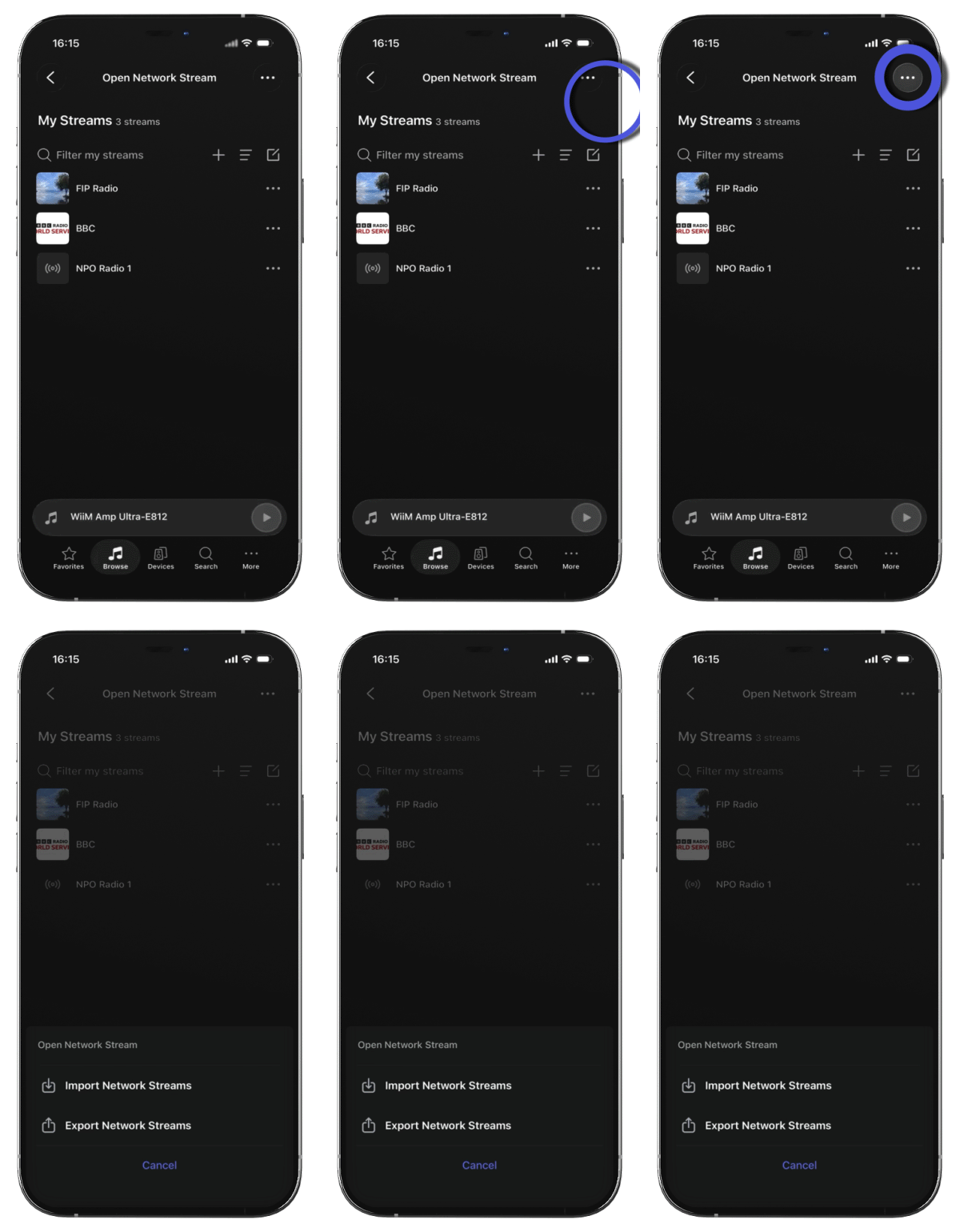
- Select Import Network Streams or Export Network Streams.
- Follow the on-screen instructions to complete the process.