
Roon is a high-quality music player for streaming and managing your music library across multiple devices. WiiM devices are Roon Ready, meaning they can receive high-resolution audio directly from Roon. This tutorial will guide you through using Roon with your WiiM device.
The WiiM Mini, WiiM Sub Pro, and WiiM Vibelink Amp do not support Roon Ready.
Before You Begin
- Install Roon on your PC.
Note: We recommend keeping Roon up to date to ensure successful discovery of your WiiM device. - Set up a compatible WiiM device.
- Make sure to connect both the WiiM device and your PC to the same network.
Step-by-Step Guide to Using Roon
- Lanuch the Roon app on your PC.
- Tap the
 icon in the top-left corner to open Settings.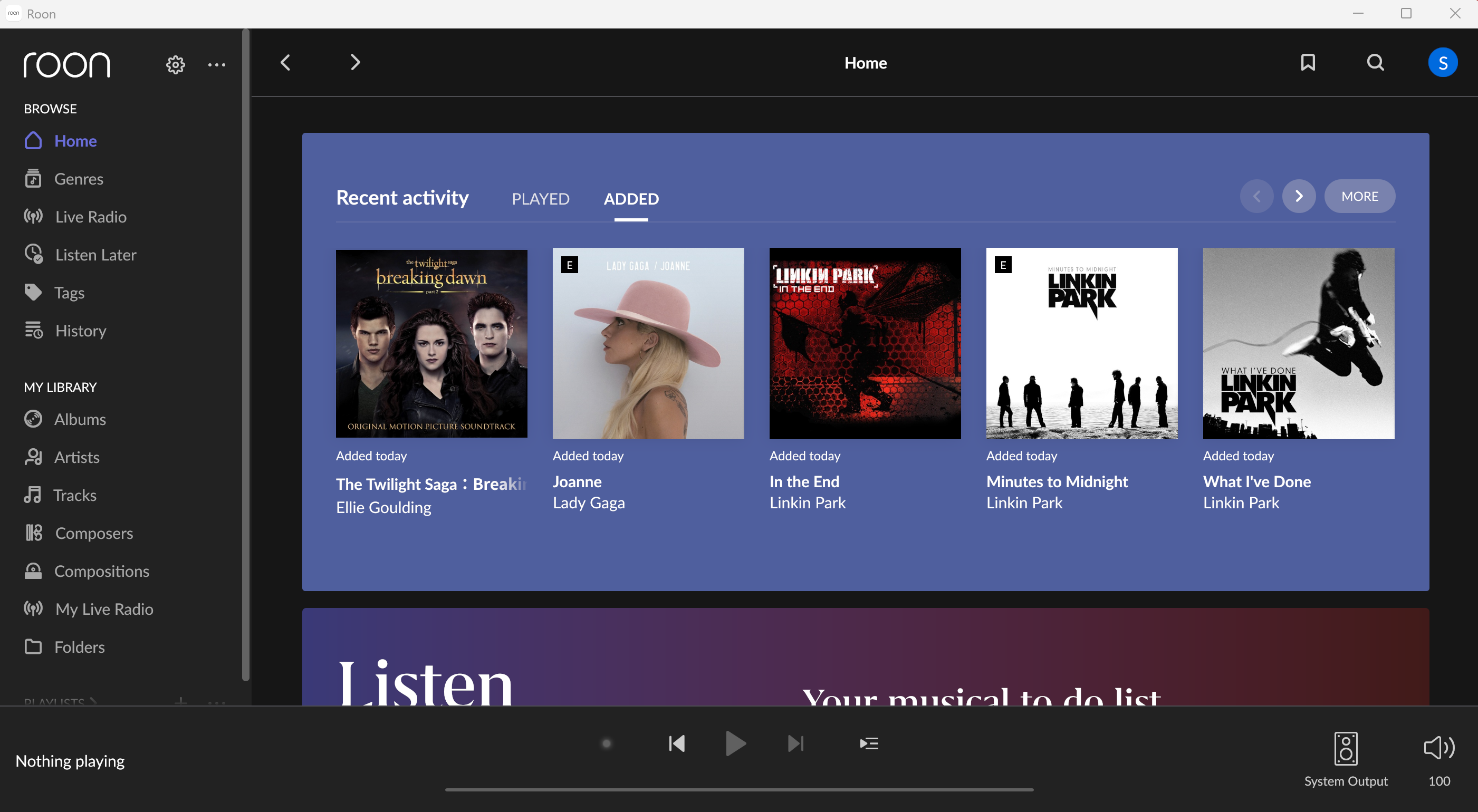
- Select the Audio tab, and then scroll down the right-side panel to the Roon Ready section.
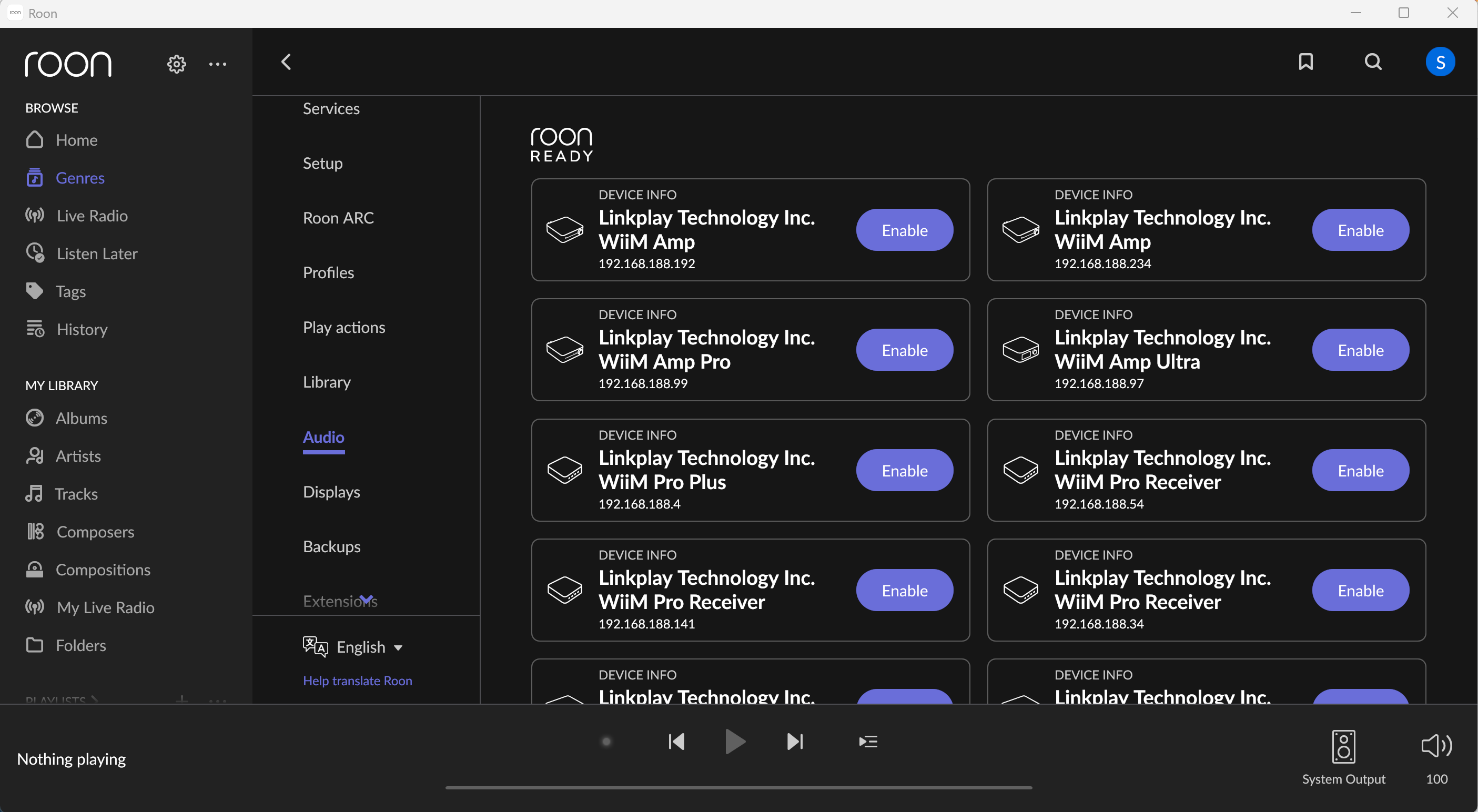
- Enable Roon Ready for your WiiM device(s).
Note: If your WiiM device does not appear in the list, make sure that the Roon Ready setting is enabled on the device. For details, refer to How to Enable Roon Ready on the WiiM Device.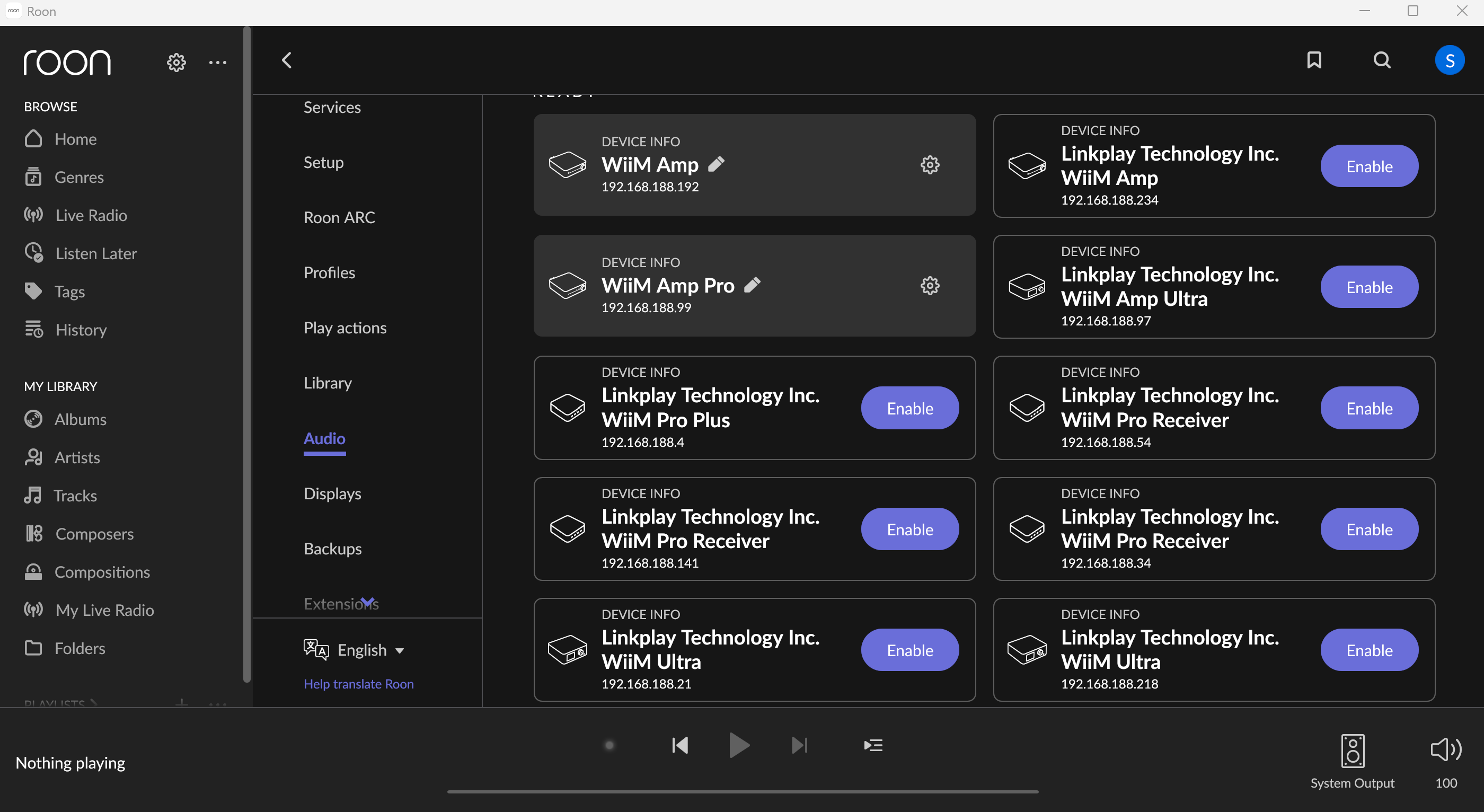
- Go to the Now Playing bar at the bottom and tap System Output to select your WiiM device(s) from the list.
Note: You can group multiple WiiM devices to enjoy multi-room music playback.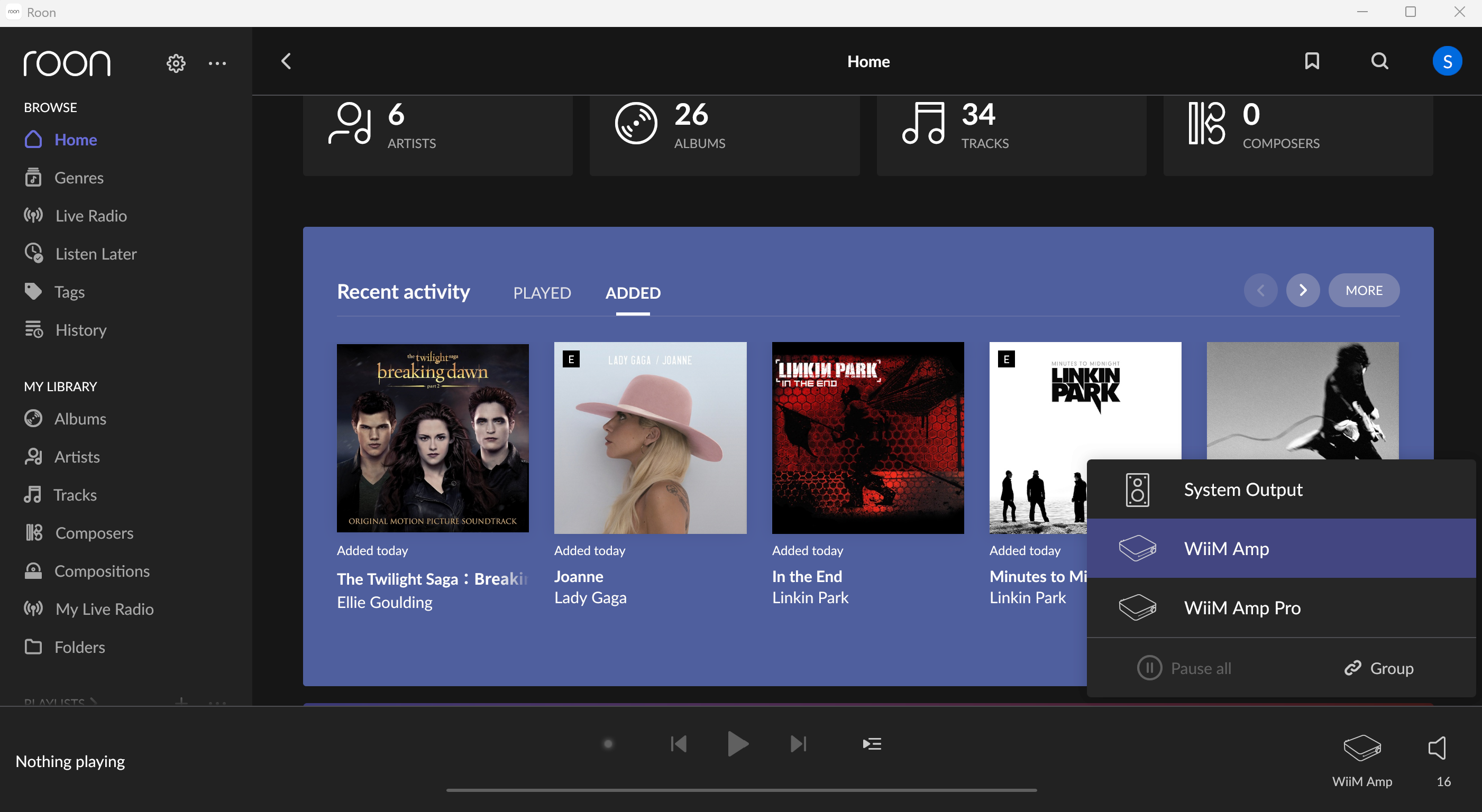
Now, start playing music in Roon, and you'll hear it through your WiiM device(s).