TABLE OF CONTENTS
Overview
This tutorial will guide you through using the 12V trigger output on the WiiM Pro, WiiM Pro Plus, and WiiM Ultra.
How the 12V Trigger Works
The 12V trigger output on WiiM devices, rated at 220 mA, can be connected to an audio system such as an amplifier or an audio/video receiver with a 12V trigger input.
When the WiiM device starts to play music, it raises the voltage on the 12V trigger rail, signaling the connected audio system to power on. This reduces the time it takes for the audio system to activate and start outputting audio to your speakers.
When the WiiM device enters standby mode, it lowers the trigger's voltage, signaling the connected audio system to return to standby. You can adjust the standby mode duration to control when the trigger voltage is lowered.
Compatible 12V Trigger Connectors
The table below lists the types of compatible 12V trigger connectors for each WiiM device:
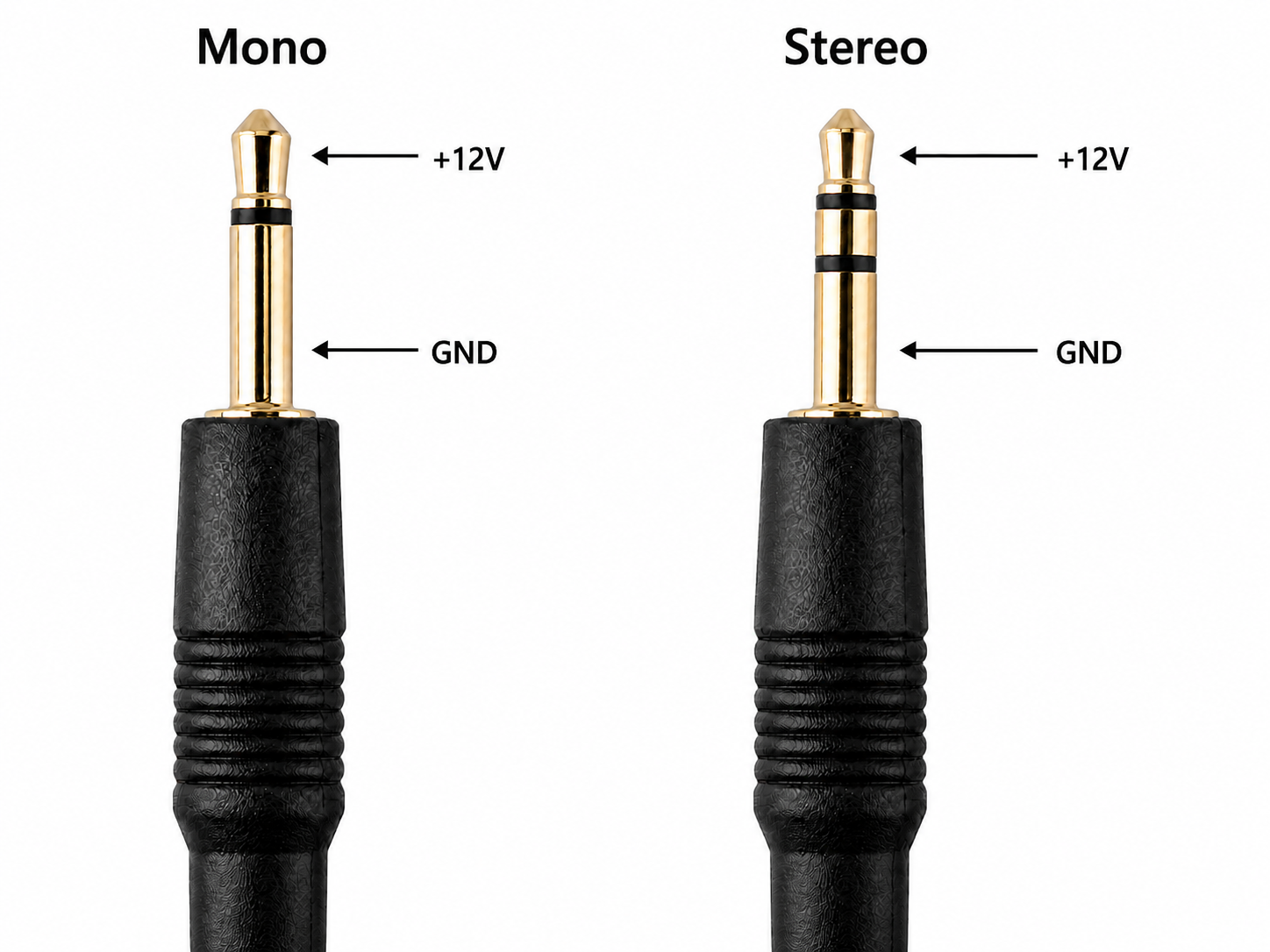
The diagram below illustrates the +12 V and ground (GND) terminal locations for 2.5 mm / 3.5 mm mono and stereo connectors.
12V Trigger Control
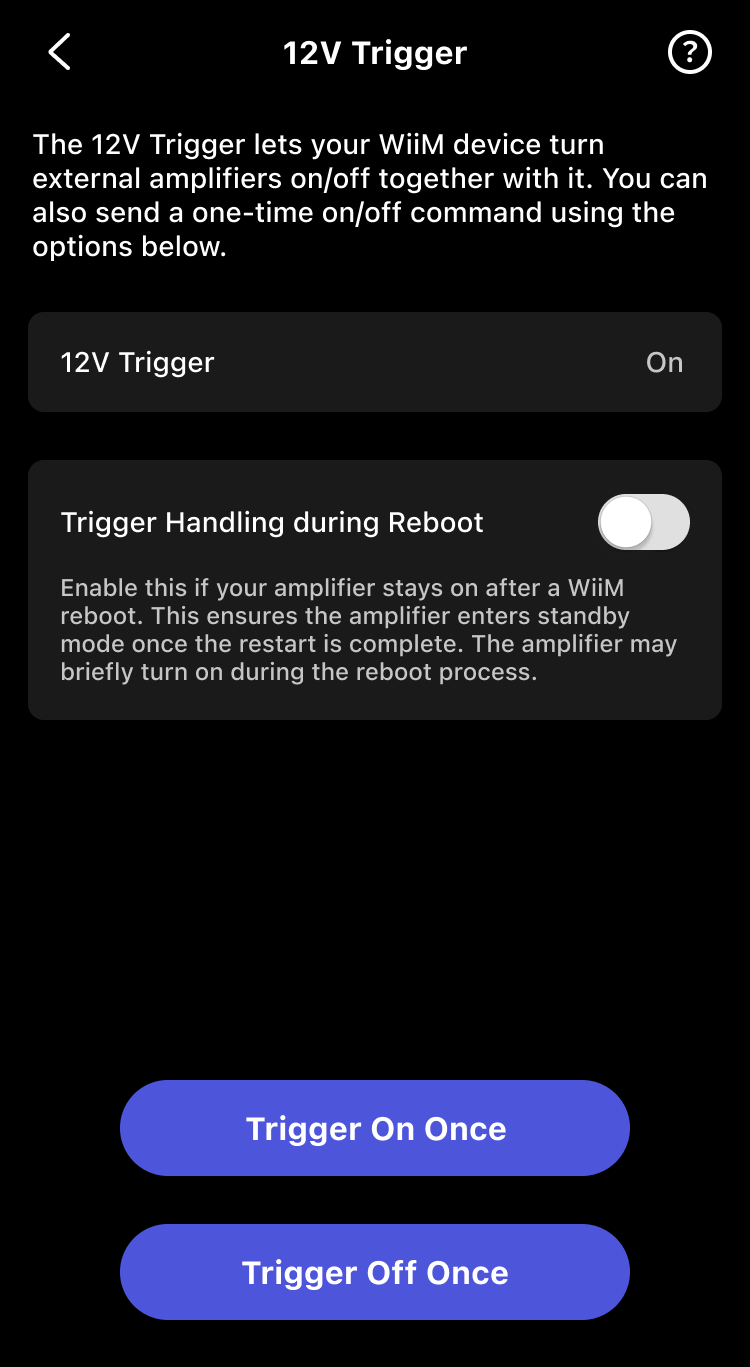
You can control 12V Trigger in the WiiM Home app.
Path
Go to the Devices tab > Device Settings  > 12V Trigger.
Features & Options
- Status View: View the real-time status (On/Off) of the 12V trigger.
- Instant Control:
- Trigger On Once: Tap to wake your amplifier from standby immediately.
- Trigger Off Once: Tap to put your amplifier into standby immediately.
- Trigger Handling during Reboot (for WiiM Ultra only): Enable this if your amplifier remains powered on after a WiiM reboot. This ensures the amplifier returns to standby mode once the WiiM reboot is finished.Note: When Trigger Handling during Reboot is enabled, your amplifier may briefly turn on during the WiiM reboot.
Compatibility Issue and Workarounds
When connecting the WiiM device's 12V Trigger Out to an amplifier's Trigger In, some amplifiers may not power on or respond as expected.
Workaround 1
Try inserting the trigger cable halfway into the amplifier's Trigger In port.
Workaround 2
Use a Stereo-to-Mono adapter (stereo male to mono female) and a mono cable. Plug the adapter into the WiiM's Trigger Out, then connect the mono cable from the adapter to the amplifier's Trigger In.
Enable Auto-Sensing for 12V Trigger
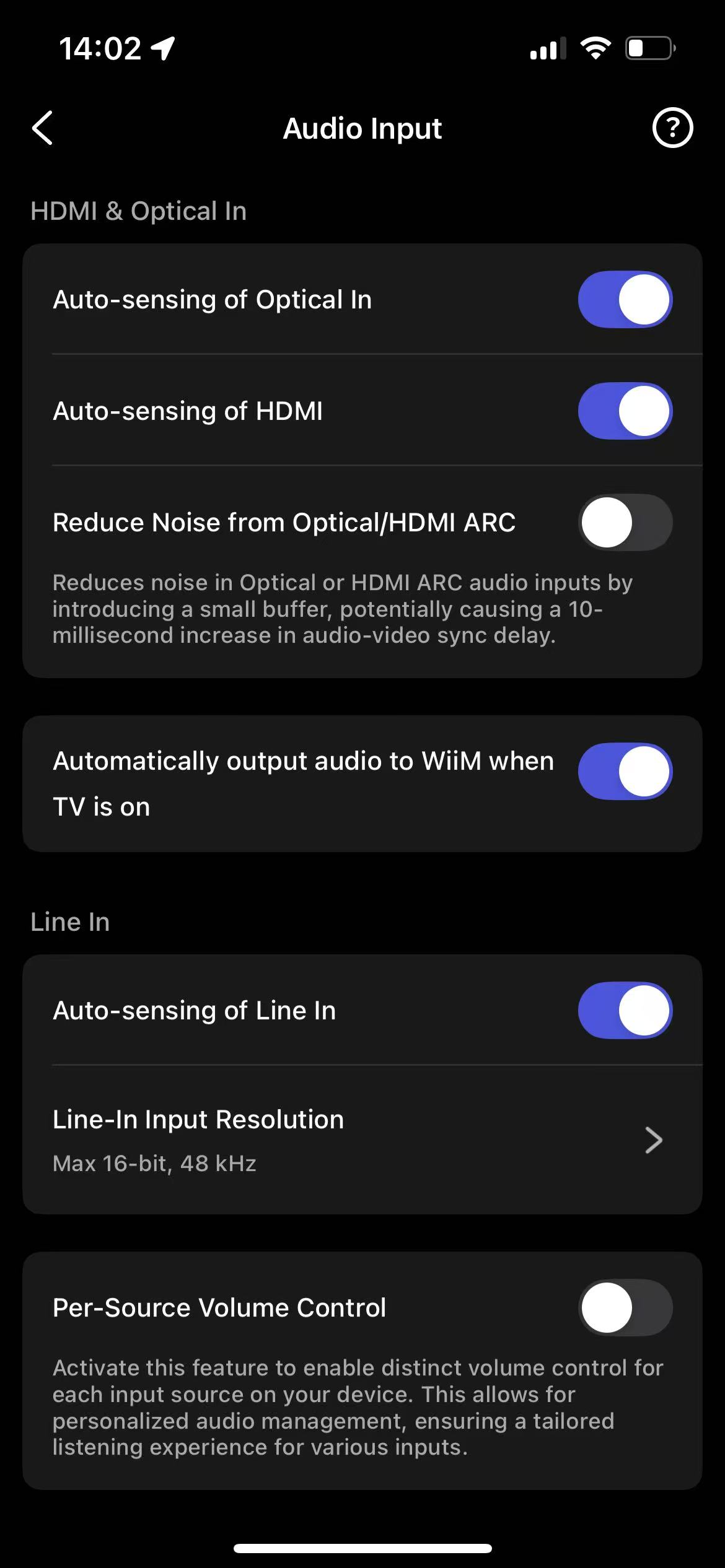
To ensure the 12V trigger output works correctly, it is recommended to enable the auto-sensing feature. This allows your device to automatically detect signals from physical inputs (Line In, HDMI, Optical In) and adjust the trigger voltage accordingly.
Steps:
- Open the WiiM Home app.
- Go to the Devices tab > Device Settings > Audio Input.
- Enable auto-sensing on your active input interface (Line In, HDMI, or Optical In).