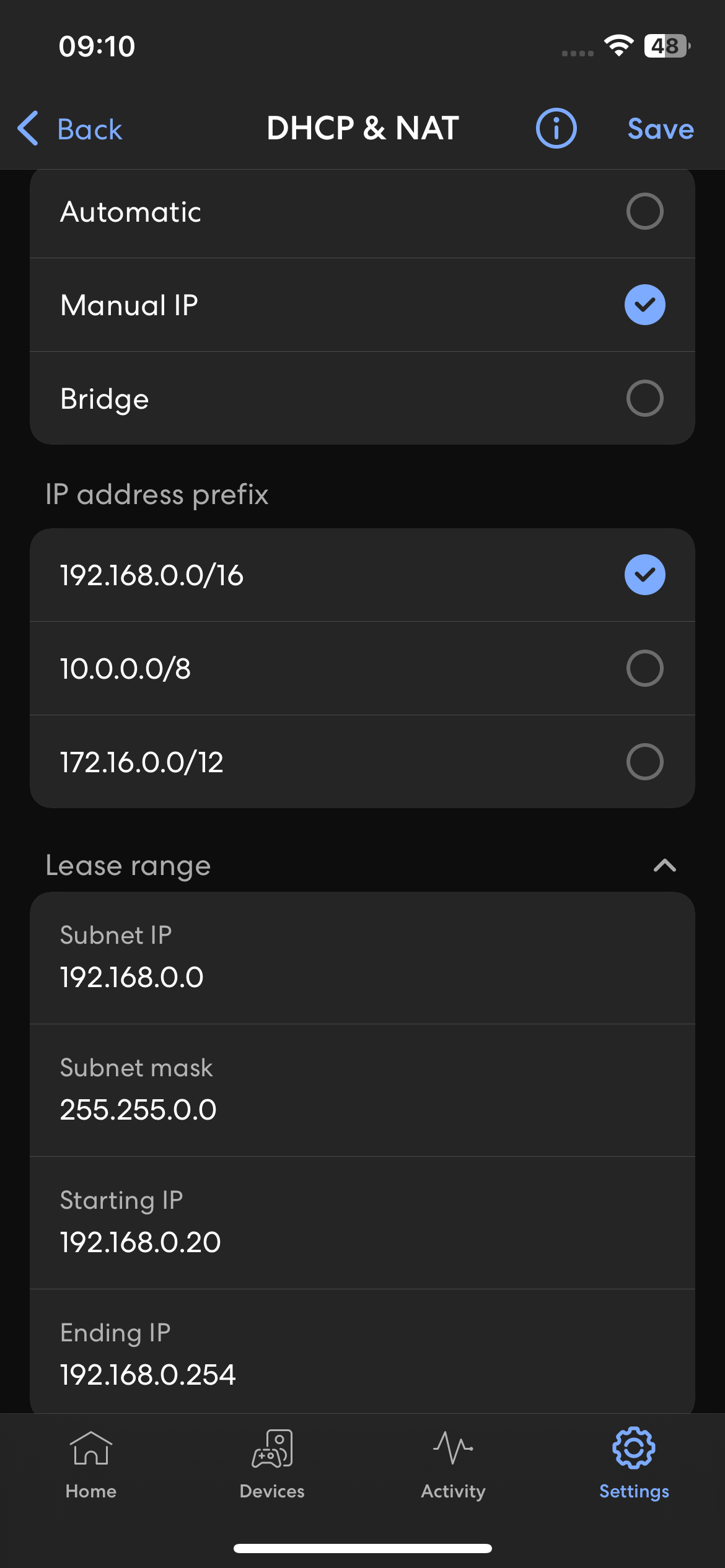
If the WiiM Home app cannot find your WiiM device or fails to communicate with it on an Eero network, changing the netmask configuration can help resolve the issue.
Please follow the steps below:
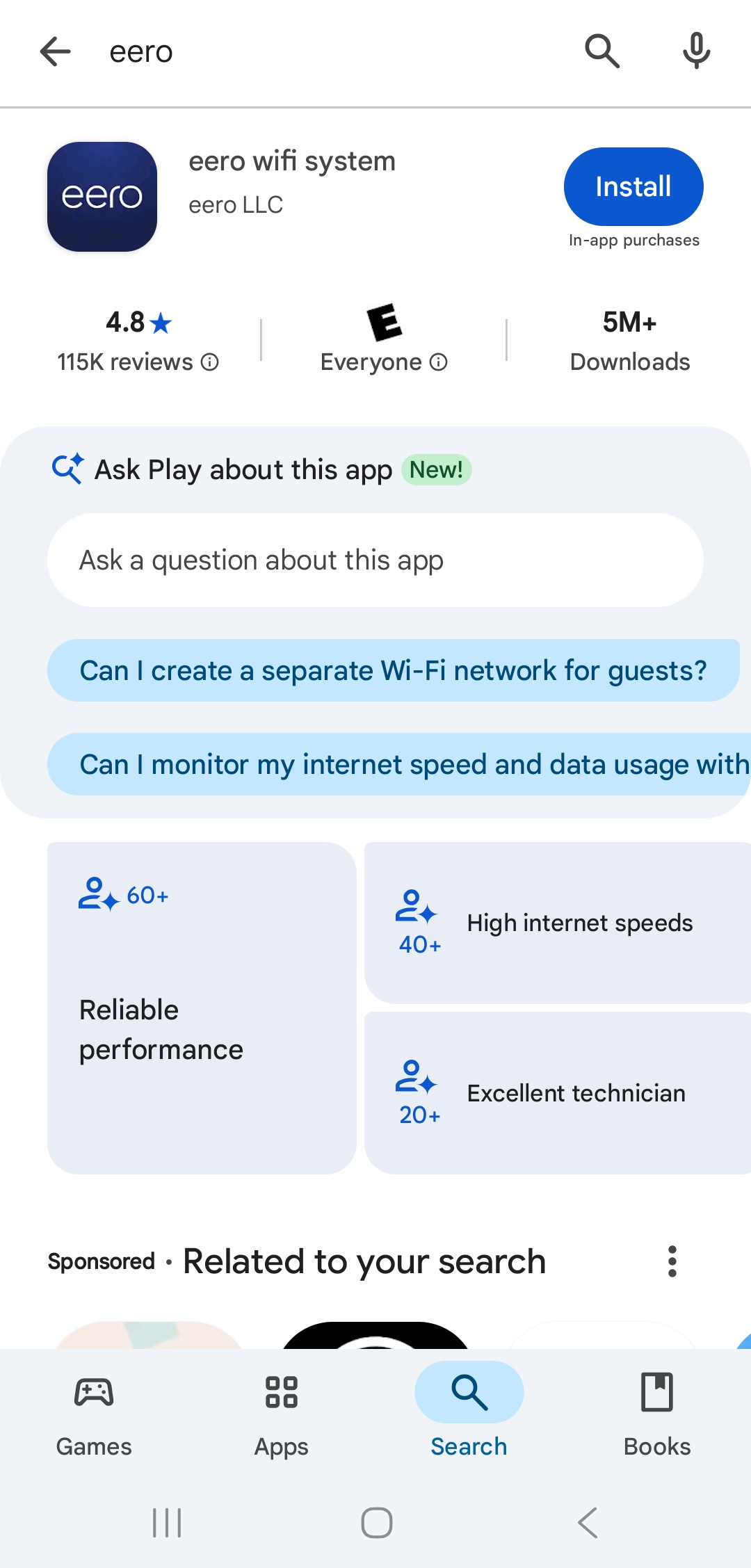
- Install and open the eero wifi system app on your mobile device.
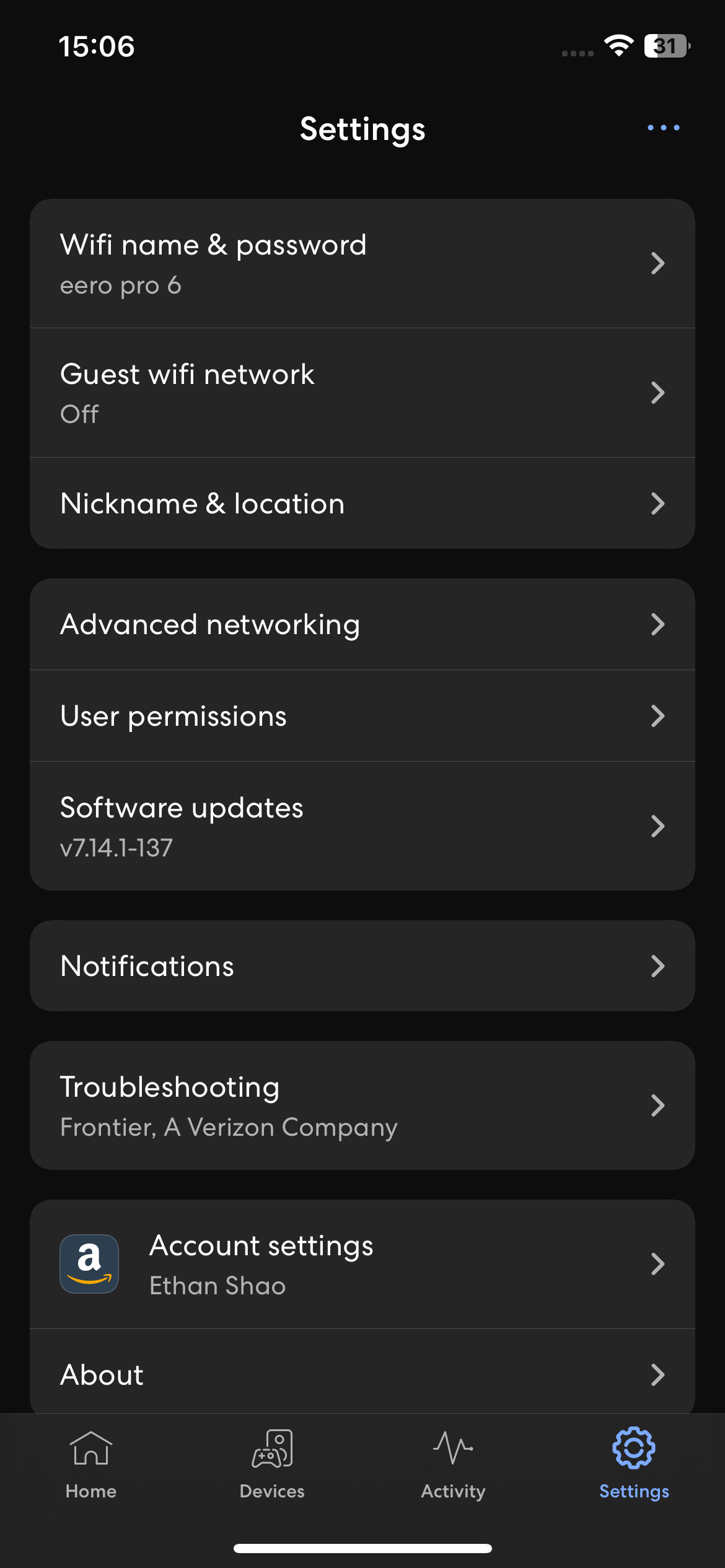
- Tap the Settings tab at the bottom, then select Advanced networking.
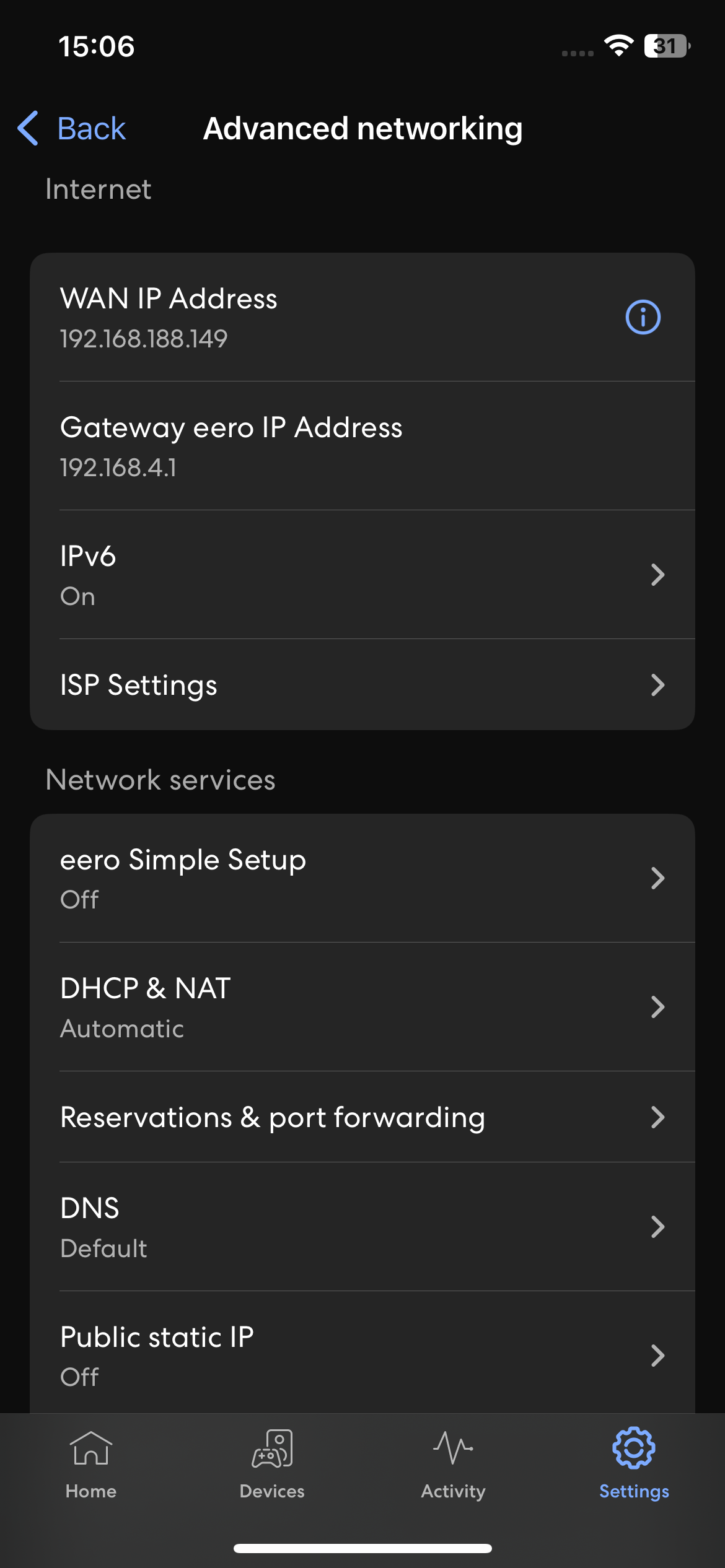
- Tap DHCP & NAT under the Network services section.
- Switch the configuration from Automatic to Manual IP, select the 192.168.0.0/16 IP address prefix, and tap Save in the top right corner.