
TABLE OF CONTENTS
WiiM devices support both automatic and manual firmware updates, ensuring your device always has the latest features, improvements, and bug fixes.
Automatic Firmware Updates
WiiM devices automatically check for new firmware. When a new version is detected, you will see a icon next to your WiiM device. The device will automatically update within 24 hours when it enters standby mode.
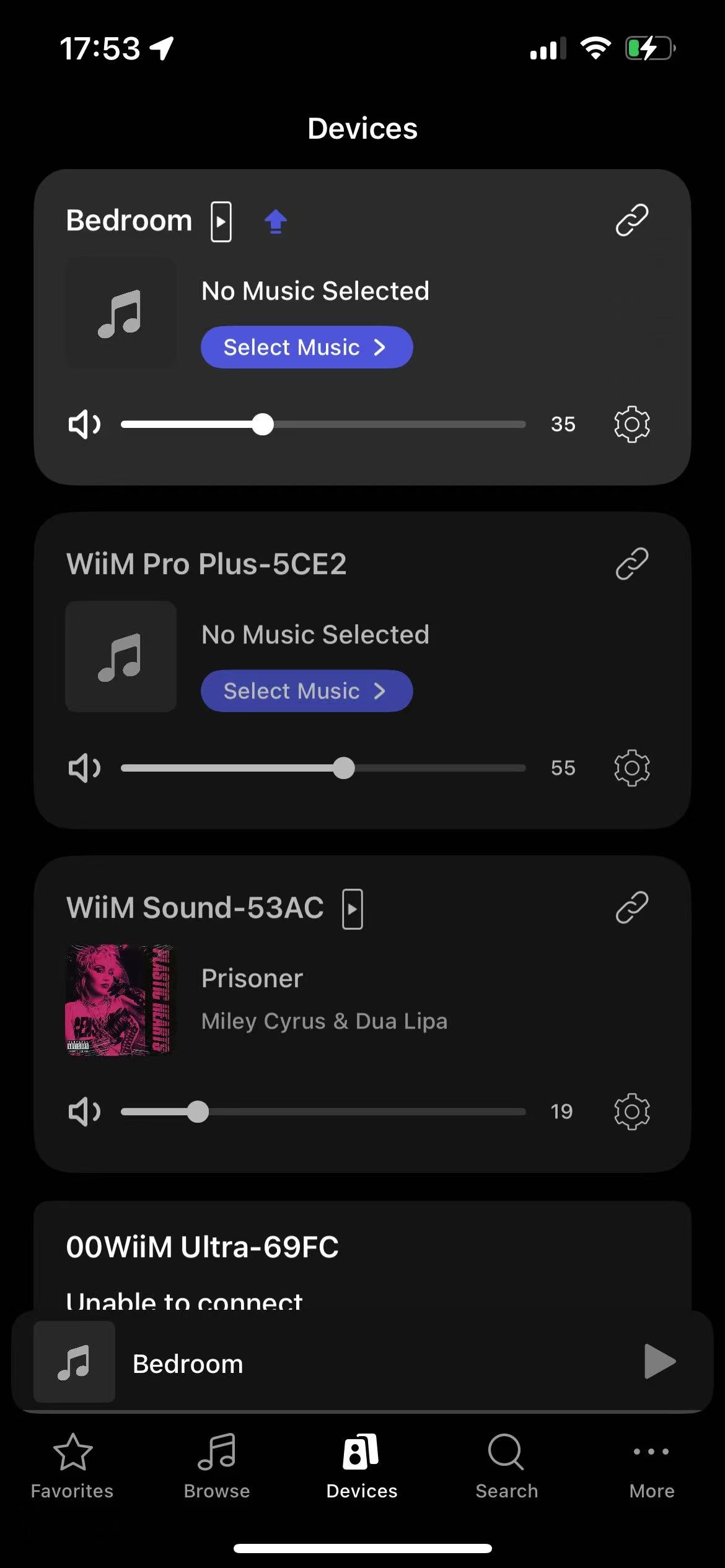
You can also tap the icon to update immediately instead of waiting for the automatic update.
Manual Firmware Updates
If you don’t want to wait for the automatic update, you can manually check for firmware updates and install them immediately.
Select the manual firmware update method below that best fits your setup.
Method 1: Update a Specific WiiM Device
This method is useful when you want to update one specific device.
Open the WiiM Home app.
Go to the Devices tab.
- Tab the Device Settings icon of the WiiM device you want to update.
Select Device Info, then tap Check for Updates.
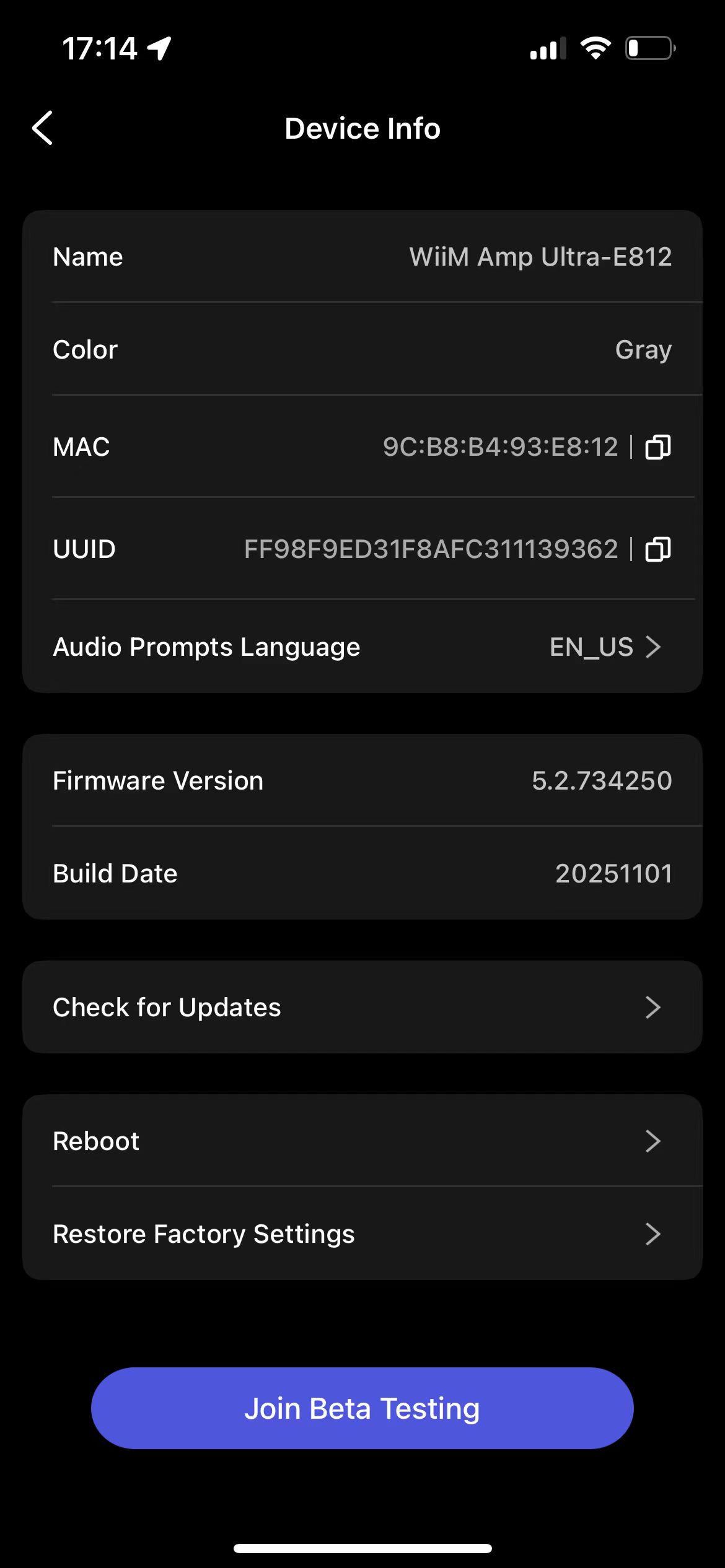
Follow the on-screen instructions to update the firmware (if available).
Method 2: Update All WiiM Devices at Once
This method is recommended if you have multiple WiiM devices to update firmwares.
Open the WiiM Home app.
Go to More > Firmware Updates.
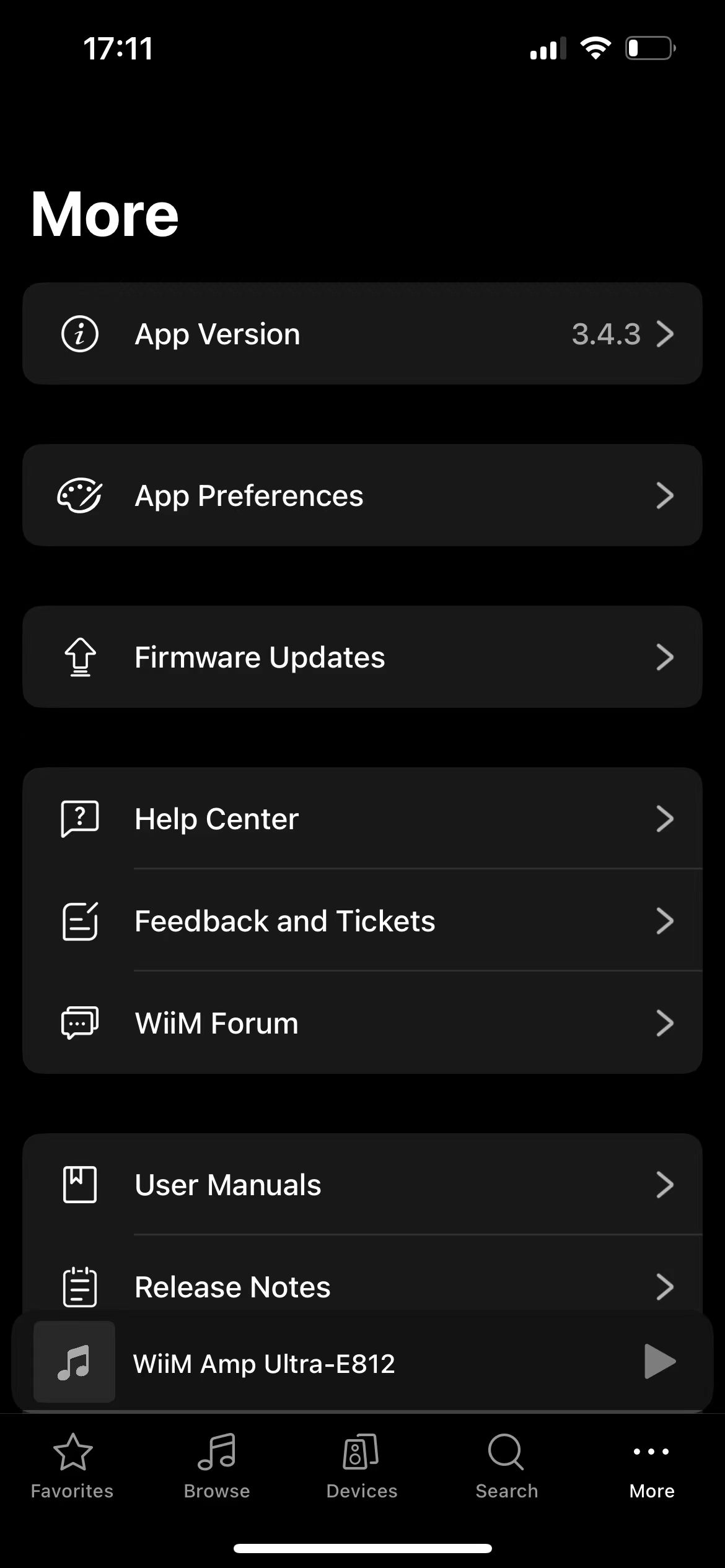
Tap Check for Updates.

Follow the on-screen instructions to update any devices with available firmware (if available).